
Skip to content
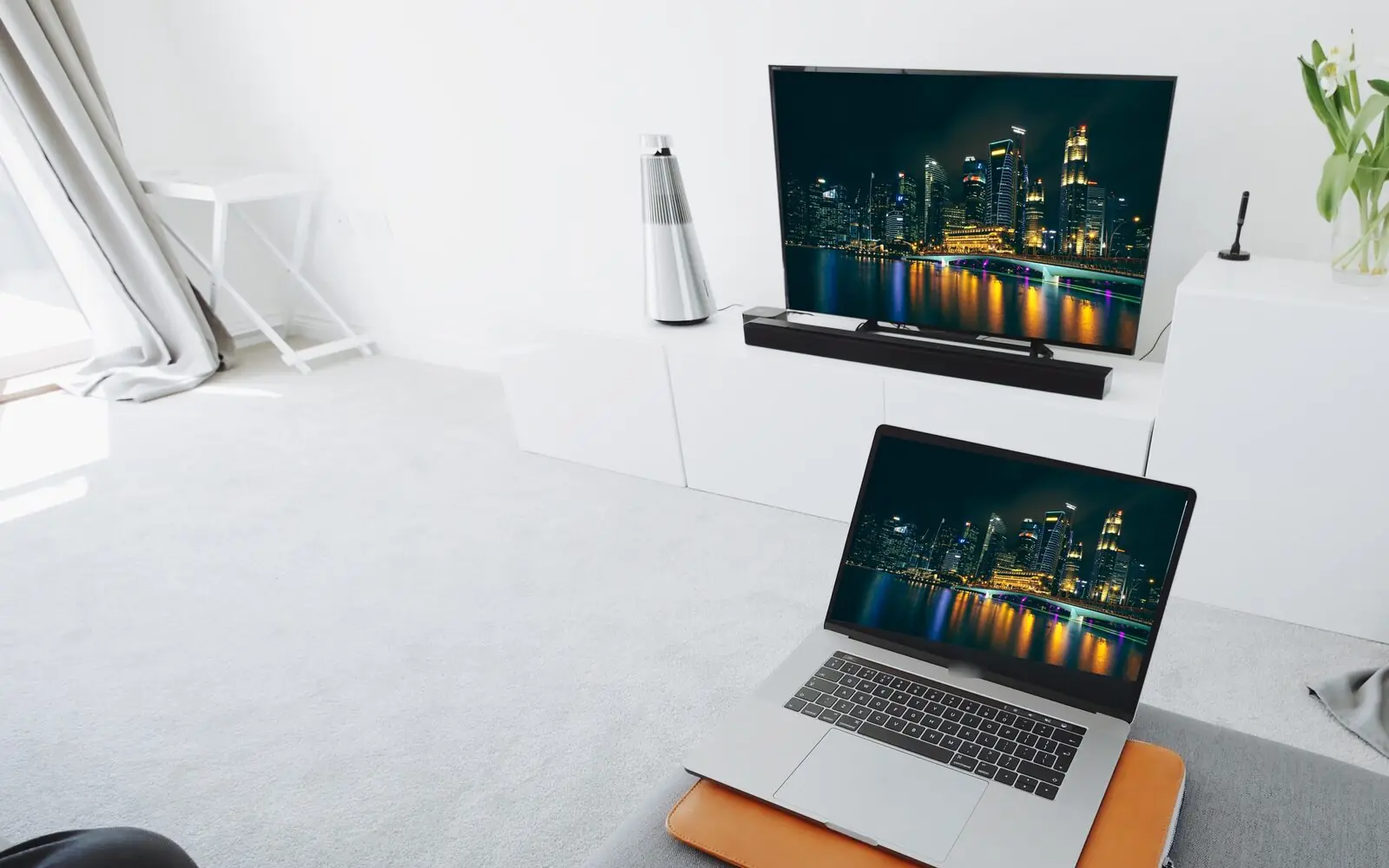
Living room with a TV and a laptop both showing the Singapore skyline at night

IPTV subscription for Singapore

IPTV Singapore: live TV and films on every screen

IPTV.sg brings thousands of live channels and a large library of films and series to the TV, phone and computer you already own. Choose Standard or Premium, pay once in Singapore dollars and get your login by email and WhatsApp.

33,000+ to 56,000+live channels, by plan
130,000+films and series on demand
24/7 helpWhatsApp and email

Smart TV · Android TV · Fire TV Stick · iPhone and iPad · Android · Windows and Mac

Why viewers choose us

An IPTV service built around your home

A good IPTV subscription is more than a long channel list. It should be simple to set up, easy to use every day and backed by people who answer when you need them. Here is what you get with IPTV Singapore from IPTV.sg.

IPTV Singapore on a phone, tablet and laptop at the same time

One subscription, many screens

Watch live TV on the devices you already have

Use your Smart TV, an Android box, a Fire TV Stick, your phone, tablet or computer. Standard plans let up to three devices share one account; Premium gives each viewer an account of their own.

A library that keeps growing

More than 130,000 films and series on demand, with new titles added every week. Live channels and on-demand titles sit side by side in your player app.

  • 1Live TV
  • 2Films
  • 3Series

Your own channel list

Too many channels to scroll through? Ask us to arrange a shorter list with the channels and categories you actually watch.

Login details by message

Once your payment is confirmed, we send your login details and a setup guide by email and WhatsApp, so you can start the same day.

Adult content stays off

Adult channels are not part of your list unless you ask for them when you order, which keeps the service suitable for the whole family.

Guided setup, whenever you need it

Not sure which app to install or how to enter your details? We help on WhatsApp and by email, before and after you buy.

What you can watch

Live channels from Singapore and the world

Your IPTV Singapore subscription combines local Singapore TV with channels from many other countries, plus films and series on demand. Standard carries more than 33,000 live channels; Premium extends that to more than 56,000.

Choosing a live channel on the TV with the remote control
Your player app shows live TV and on-demand titles in one place.

Something for everyone at home

NewsLocal, regional and world news, live.
SportSport channels from many countries.
Films and series130,000+ titles on demand.
KidsCartoons and family viewing.
Asian and internationalChannels and shows from around Asia alongside global favourites. Looking for a specific channel? Ask us before you buy.

The on-demand library is shared by both plans and grows every week, so there is always something new to start when the live schedule is quiet. Films and series are sorted by category in your player app, and you can search by title. If you watch in several languages at home, a personalised channel list puts each person’s favourite channels at the top.

Channel line-ups change from time to time. The categories above describe the kind of content available, not a fixed list of channels.

A look inside

Browse the IPTV channels and on-demand library

Use the filters to see the kinds of channels and titles you can watch. The tiles show categories, not specific programmes, because line-ups change over time.

Live TV Category spotlight

News around the clock

Follow world, regional and business news live, at any hour, on the screen you prefer.

  • 4K · FHD · HD where available
  • All your devices
  • Updated weekly

01 / 10

1 of 10: News around the clock

These tiles are an overview. The full service includes many more channels, titles and categories.

Compare Standard and Premium

IPTV Singapore plans: pick what suits your home

Every IPTV Singapore plan includes live TV and the full on-demand library. Choose a service level, then the number of devices or accounts and the duration. Every price is the total you pay once, in Singapore dollars. Hot Player activation is included with every plan, and single-screen plans add free months.

Two service levels

Standard covers 33,000+ channels. Premium adds more channels and separate accounts. Hot Player is included with both. Prices update as you choose.

Hot Player activation included with every plan: one for each device on Standard, one for each account on Premium.

Personal plans

One device or one account

One device on one account.

1 month +1 month free

A simple way to start.

S$15.00total price

about S$7.50 a month, 2 months in total

Standard · 1 device
  • 33,000+ live TV channels
  • 130,000+ films and series on demand
  • 4K, Full HD and HD streams where available
  • Smart TV, Android, iPhone, Firestick, PC
  • Help on WhatsApp and email, 24/7
Included
  • Hot Player activation included
  • 1 free month added

3 months

A short commitment.

S$35.00total price

about S$11.67 a month over 3 months

Standard · 1 device
  • 33,000+ live TV channels
  • 130,000+ films and series on demand
  • 4K, Full HD and HD streams where available
  • Smart TV, Android, iPhone, Firestick, PC
  • Help on WhatsApp and email, 24/7
Included
  • Hot Player activation included
Best value

12 months +2 months free

The lowest monthly cost.

S$80.00total price

about S$5.71 a month, 14 months in total

Standard · 1 device
  • 33,000+ live TV channels
  • 130,000+ films and series on demand
  • 4K, Full HD and HD streams where available
  • Smart TV, Android, iPhone, Firestick, PC
  • Help on WhatsApp and email, 24/7
Included
  • Hot Player activation included
  • 2 free months added

Household plans

Two or three at the same time

Watch on several devices at once.

1 month

A simple way to start.

S$22.00total price

about S$22.00 a month over 1 month

Standard · 2 devices
  • 33,000+ live TV channels
  • 2 devices share one account at the same time
  • 130,000+ films and series on demand
  • 4K, Full HD and HD streams where available
  • Smart TV, Android, iPhone, Firestick, PC
  • Help on WhatsApp and email, 24/7
Included
  • 2 Hot Player activations included, one per device

3 months

A short commitment.

S$50.00total price

about S$16.67 a month over 3 months

Standard · 2 devices
  • 33,000+ live TV channels
  • 2 devices share one account at the same time
  • 130,000+ films and series on demand
  • 4K, Full HD and HD streams where available
  • Smart TV, Android, iPhone, Firestick, PC
  • Help on WhatsApp and email, 24/7
Included
  • 2 Hot Player activations included, one per device
Best value

12 months

The lowest monthly cost.

S$130.00total price

about S$10.83 a month over 12 months

Standard · 2 devices
  • 33,000+ live TV channels
  • 2 devices share one account at the same time
  • 130,000+ films and series on demand
  • 4K, Full HD and HD streams where available
  • Smart TV, Android, iPhone, Firestick, PC
  • Help on WhatsApp and email, 24/7
Included
  • 2 Hot Player activations included, one per device
  • Login details sent by email and WhatsApp
  • One-time payment, no auto-renewal
  • 7-day refund if not activated
  • Help 24/7 on WhatsApp

Want every detail side by side? Read the Standard vs Premium comparison or see all plans and prices.

How it works

From order to first channel in four steps

You don’t need a new TV, a set-top box from a telco or a technician. If you can install an app, you can set up your IPTV Singapore subscription yourself in a few minutes.

  1. 01

    Choose your plan

    Pick Standard or Premium, the number of devices or accounts and the duration that fits.

    Prices shown in S$

  2. 02

    Check out

    Pay once with one of the payment methods offered at checkout. There is no automatic renewal.

    One-time payment

  3. 03

    Receive your login

    We send your login details and a setup guide by email and WhatsApp once payment is confirmed.

    Email and WhatsApp

  4. 04

    Install the app and watch

    Install Hot Player (activation included) or another player app, enter your details and start watching.

    Help if you get stuck

A stable connectionHome fibre or a good 4G/5G connection. A cable to the TV, or Wi-Fi close to the router, keeps the picture steady.
A supported deviceA Smart TV, Android TV box, Fire TV Stick, phone, tablet or computer bought in the last few years.
A player appHot Player or another compatible app. Our setup guide shows which apps suit each device.
Your login detailsSent by email and WhatsApp after payment. Keep them safe and don’t share them outside your plan.

Need help choosing?

Tell us which devices you use and how many people watch at home. We will suggest the IPTV subscription that fits, with live TV for everyone.

Ask on WhatsApp

IPTV explained

What is IPTV, and how does it work?

IPTV stands for Internet Protocol Television: TV channels and videos delivered over your internet connection instead of an aerial, cable or satellite dish. You watch them in an app on a device you already own.

The Merlion at Marina Bay, Singapore, at night

One technology, many devicesTV that arrives through your internet connection.

  1. 01Television over the internet

    With IPTV, channels are streamed online and played by an app on your Smart TV, TV box, Fire TV Stick, phone, tablet or computer. All you need is a stable internet connection, a supported device and the login details we send you. Unlike a traditional pay-TV box, there is no installation visit and no contract to sign. Wikipedia has a good overview of how Internet Protocol television works.

  2. 02Live channels and on-demand titles together

    Your subscription combines live TV channels with films and series you can start at any time. The player app groups them into categories, so you can switch from a live news channel to a film in a few clicks.

  3. 03App, subscription and picture quality are three different things

    The app plays the content, the subscription gives you access to it, and the picture you see also depends on your internet speed, your Wi-Fi or cable connection and your device. Checking these three points first is the easiest way to get a smooth picture in HD, Full HD or 4K.

  • Stable connection
  • Supported device
  • Player app

Before you choose

How to choose the right IPTV plan for your home

Three questions decide which IPTV subscription suits you: how many people watch at the same time, how many live TV channels you want and how long you want the plan to run. Answer them and the right plan becomes obvious.

01

One screen or several?

A plan for one device suits a person who watches alone. If two or three people want to watch different things at the same time, pick a household plan. On Standard, those devices share one account. On Premium, each person gets a separate account with their own login.

  • 1 device or account: one viewer at a time
  • 2 or 3: several viewers at once
02

Standard or Premium?

Standard gives you more than 33,000 live channels and the full on-demand library, which covers what most homes watch. Premium raises the line-up to more than 56,000 channels and uses separate accounts for each viewer. Both include Hot Player activation for every device or account.

03

Which duration?

The 1-month plan is a low-cost way to start. For one device or account it includes a free month, and the 6- and 12-month plans add two free months and bring the monthly cost down the most. Every duration is available for 1, 2 or 3 screens. Nothing renews automatically, so you decide when to renew.

  • 1 month (+1 free) to try it
  • 12 months (+2 free) for the lowest monthly cost

Know what your home needs?

Check that your device is supported, then pick your plan in the price table above.

Already a customer?

Renew your IPTV subscription

Keep your account and choose a new duration in a few clicks. Your login stays the same.

How renewal works

Frequently asked questions

IPTV Singapore questions, answered

Short answers about how the service works, which devices you can use, plans, delivery and support. For more, see the full FAQ.

At a glance

A flexible plan for your home

  • Standard or Premium
  • 1 to 3 devices or accounts
  • 1, 3, 6 or 12 months
  • Help 24/7 on WhatsApp

01About the service

01What is IPTV and how does it work?

IPTV, or Internet Protocol Television, delivers TV channels and videos over your internet connection. You install a player app on a supported device, enter the login details we send you and watch live channels or films on demand. The picture quality depends on the channel, your device and your internet connection.

02What do I get with an IPTV Singapore subscription from IPTV.sg?

Every plan includes live TV channels (33,000+ on Standard, 56,000+ on Premium), more than 130,000 films and series on demand with weekly updates, setup help, and support on WhatsApp and email. Hot Player activation is included for every device or account, and Premium gives each viewer a separate account.

03Is a player app included?

The subscription gives you access to the channels; an app plays them. Many player apps work with our service. Hot Player activation is included with every plan: one for each device on Standard and one for each account on Premium. Our setup guide lists the options for each device.

04Do you offer a free trial?

We do not offer trials. Instead, you can start with the 1-month plan, which includes an extra free month for one device. If your subscription has not been activated, you can ask for a refund within 7 days of purchase.

02Devices and plans

05Which devices can I use?

Smart TVs (such as Samsung and LG), Android TV boxes, Amazon Fire TV Stick, iPhone, iPad, Android phones and tablets, and Windows or Mac computers. If you are unsure about your device, send us the model on WhatsApp and we will check it for you.

06How do I set up IPTV on a Smart TV?

Install a compatible player app from your TV’s app store, open it and enter the login details we send after your order. Our step-by-step setup guide shows the process for Smart TVs, TV boxes, phones and computers.

07What is the difference between Standard and Premium?

Standard has more than 33,000 live channels and lets 1 to 3 devices share one account. Premium has more than 56,000 live channels, gives each viewer a separate account. Both include the 130,000+ title on-demand library and Hot Player activation.

08Can I watch on several screens at the same time?

Yes. Choose a plan for 2 or 3. On Standard, that number of devices can watch at the same time on one account. On Premium, you get that number of separate accounts. A 1-device plan works on one screen at a time.

09What internet speed do I need for IPTV in Singapore?

Most home fibre plans in Singapore are more than fast enough. As a rule of thumb, allow about 10 Mbps for each screen watching in HD and around 25 Mbps for each screen watching in 4K. A network cable or a strong Wi-Fi signal near the TV matters as much as the speed of your plan.

03Prices, delivery and support

10How much does IPTV cost in Singapore with IPTV.sg?

Standard starts at S$15 for one month (plus one free month) on one device, and the 12-month plan is S$80 for 14 months, the lowest monthly cost. Premium starts at S$25 and adds extra channels and separate accounts. Hot Player activation is included with every plan. All prices are one-time payments in S$.

11How quickly do I receive my login details?

We send your login details and setup guide by email and WhatsApp once your payment is confirmed. If anything is unclear, reply to the message and we will walk you through it.

12Does my plan renew automatically?

No. You pay once for the duration you choose. Before your plan ends, you can renew on the same account so your login and settings stay the same.

13What happens when my plan ends?

Your access stops at the end of the period you paid for, including any free months. Renew before that date and you keep the same login, so there is nothing to set up again.

14Can I move from Standard to Premium later?

Yes. Message us on WhatsApp or by email and we will explain the options for your account, including what you would pay for the time left on your current plan.

15Which payment methods can I use?

The payment methods available today are shown at checkout, for example Singapore FAST bank transfer and crypto options. Every price is shown in Singapore dollars before you pay, and you only pay once for the plan you choose.

16Can I get a shorter, personalised channel list?

Yes. With thousands of channels, many customers prefer a shorter list. Tell us the countries, languages or categories you watch and we will arrange your list so the channels you want are easy to find.

17What should I do if the picture buffers?

Buffering usually comes from the connection. Restart your router and device, move closer to the Wi-Fi router or use a network cable, and close other heavy downloads. Our troubleshooting guide covers more fixes, and our support team can check your account with you.

Copy This Coupon Code and use It in The Checkout Page

IPTVSG5

Your exclusive code is ready! Copy it now!

1