Guide
What is IPTV and how does it work?
The basics of Internet Protocol Television, in plain English.
Learn and set up
Our IPTV guides explain how the service works, how to set it up on each device, how to choose a plan and how to fix common problems. Start with the basics or jump to the guide you need.
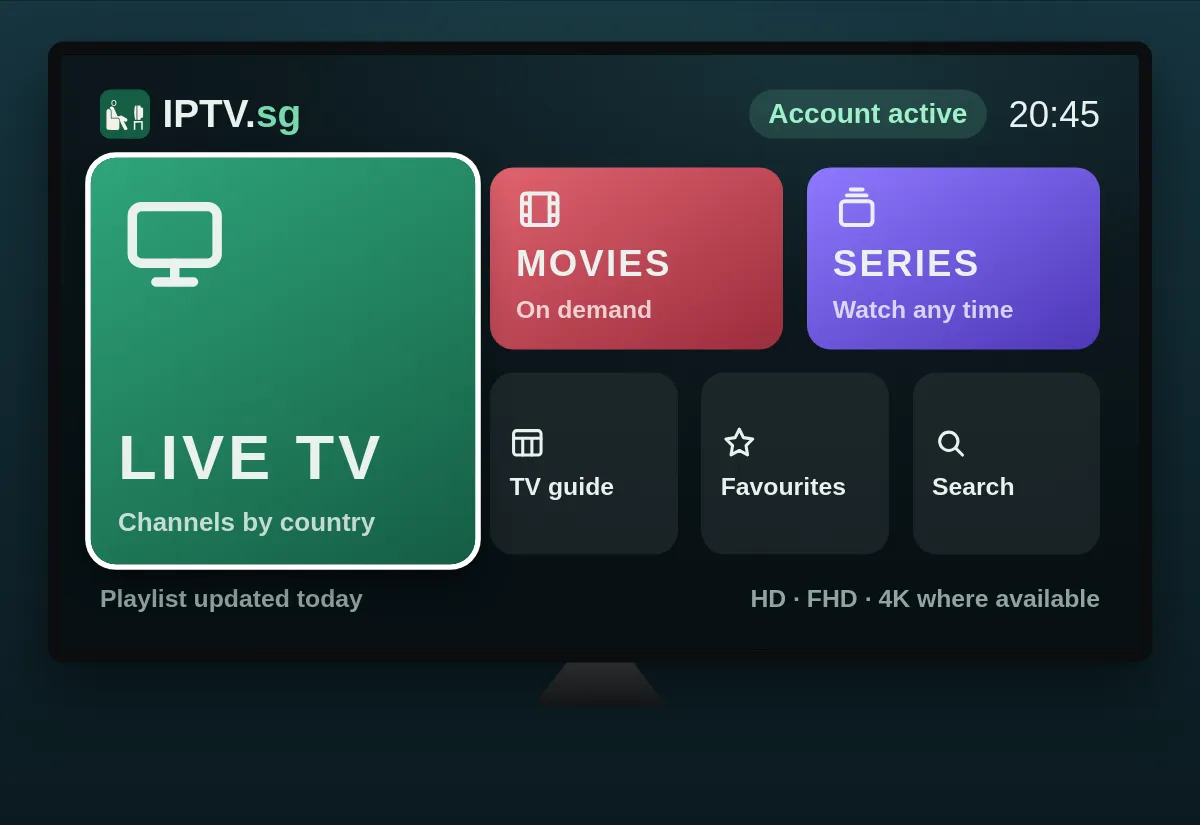
Guide
The basics of Internet Protocol Television, in plain English.
Guide
Install an app and sign in on Fire TV, Smart TV, phone or PC.
Guide
Which TVs, boxes and phones work, and how to check yours.
Guide
Fix buffering, freezing and login errors.
Guide
The four differences that matter when you choose.
Guide
Devices on Standard, accounts on Premium.
Guide
Keep your login and choose a new duration.
Guide
Put your favourite channels first.
Guide
Install the app, sign in with Xtream Codes and fix login errors.
Guide
Developer options, Downloader, your player and sign-in.
Guide
Six player apps compared by device, sign-in, TV guide and price.
Guide
Five checks for a sharper picture: TV, device, HEVC, speed and channel.
Guide
Find where it buffers, then nine fixes in order, easiest first.
Guide
Install a player from Apps, send us the MAC address and watch.
Guide
The Apps store, MAC activation and the LG menus by model year.
Guide
Google Play first, the Downloader route when you need it.
Guide
Nine checks before you pay, and a simple first-month test.
Guide
The TV guide explained, Singapore time and six quick fixes.
Guide
What is inside the link, three apps to open it and how to keep it safe.
Guide
The three login details, signing in step by step and error messages.
Guide
The 5-year cost check, and who a lifetime plan suits.
Guide
What to check before you pay once for years of TV.
Guide
Where your lifetime login works, from sticks to smart TVs.
Guide
Every plan, the real cost per month and the costs people forget.
Guide
Add your playlist and TV guide on Windows or Xbox.
Guide
Every US time zone in Singapore time, summer and winter.
Guide
London time in Singapore time, winter and summer, with TV and match times.
Guide
How each reaches your screen, what it costs and who it suits.
Guide
The right app for each device, and how to sign in.
Guide
News, sport, films and local stations in our line-up.
Guide
Entertainment, sport, films and kids channels in our line-up.
Guide
What to check in your first week with any IPTV service.
Guide
Find out in minutes, and find your login and expiry date.
Guide
Do you need a US IPTV box? Usually not: here is why.
Guide
British TV in your Singapore home, step by step.
Guide
Pick a free Windows player, add your links and watch on a laptop or TV.
IPTV can look technical, but using it is simple once you know three words: the subscription gives you access to channels and films, the app plays them, and your connection carries them to your screen. Our IPTV guides follow that order. First, understand what IPTV is. Next, check that your device works and set up the app. Finally, learn the few fixes that solve almost every playback problem.
If you are comparing options, two IPTV guides help most. The Standard vs Premium comparison explains channel counts, accounts and prices side by side. The multiple devices guide explains the difference between devices sharing one account and separate accounts for each viewer, with examples for couples and families.
Already watching? The renewal guide shows how to keep the same login when your plan ends, and the custom channel list guide explains how to get a shorter list with only the channels you watch. If something stops working, the troubleshooting guide lists the checks to try in order before you contact us.
Each guide answers one question and links to the next step, so you never need to read everything. We write them from the questions customers actually send us on WhatsApp and email, and we update them when apps change their menus or when our plans change. Screens can look slightly different on your device: if a step does not match what you see, send us a photo and we will help and improve the guide.
If you are setting up for someone else, such as a parent or grandparent, send them the link to these IPTV guides, together with their login details. The steps are written so that someone who has never used IPTV can follow them on their own TV.
Prefer to talk it through? Our support team answers 24/7 and can walk you through any guide step by step, whether you are choosing a plan, setting up a new TV or fixing a picture that freezes.
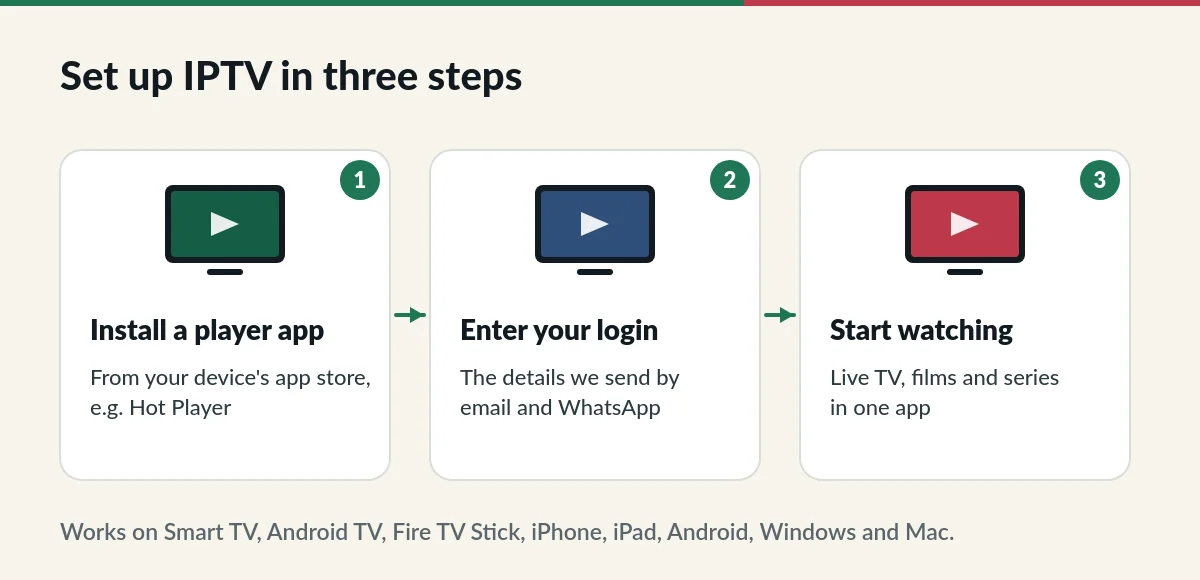
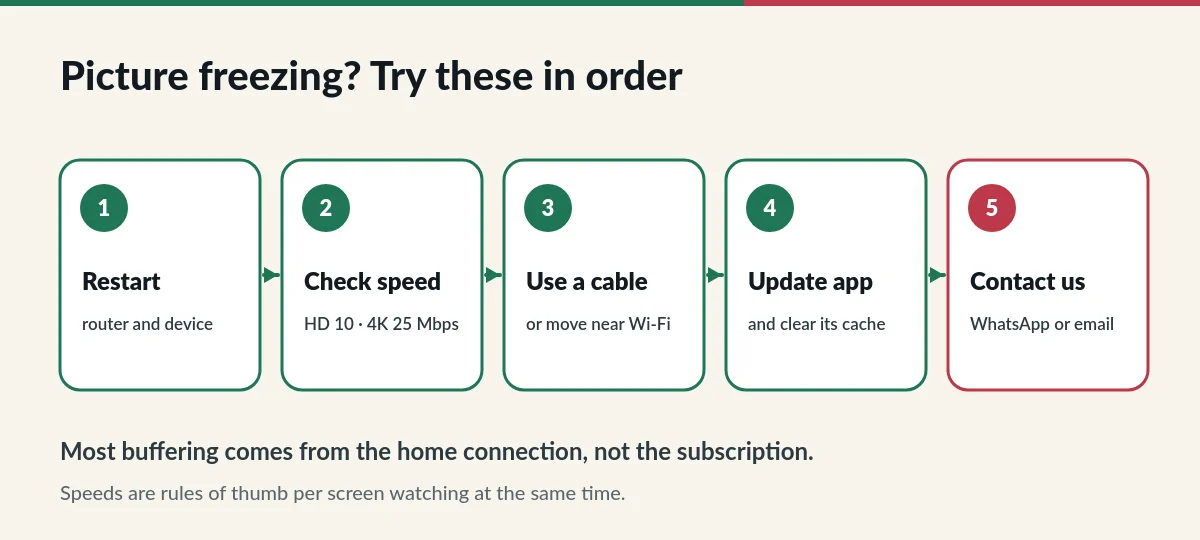
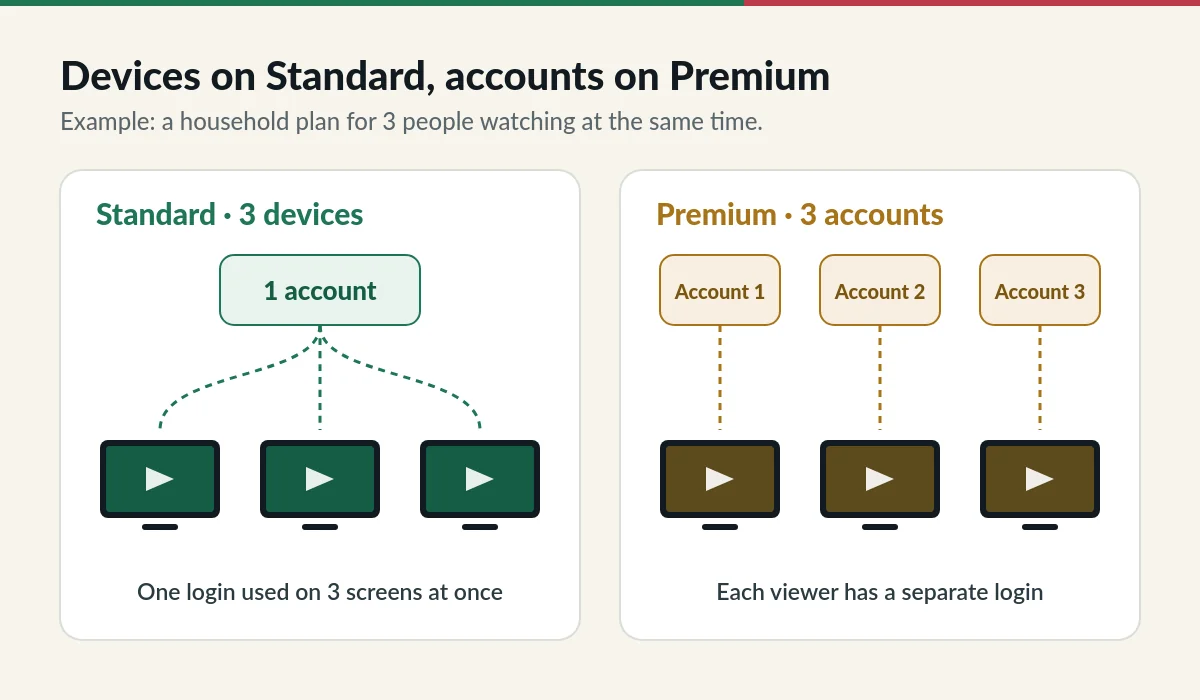
These IPTV guides are written for viewers in Singapore and updated when apps or plans change. For the wider history of the technology, see Internet Protocol television on Wikipedia. Questions not covered here are answered in the IPTV FAQ.
Useful pages: IPTV Standard · IPTV Premium · Plans and prices · How to buy · Channels and VOD · Lifetime IPTV