Ordering guide
How to buy IPTV in Singapore: four simple steps
Buying IPTV from IPTV.sg takes a few minutes: choose a plan, pay once at checkout and receive your login by email and WhatsApp. This guide walks you through each step and what to prepare.
Before you buy IPTV: a quick checklist
- Check that your TV, box, phone or computer is on our list of IPTV supported devices.
- Decide how many screens will watch at the same time.
- Run a speed test on the device you will use: about 10 Mbps per screen for HD, 25 Mbps for 4K.
- Compare Standard and Premium if you are not sure which level you need.

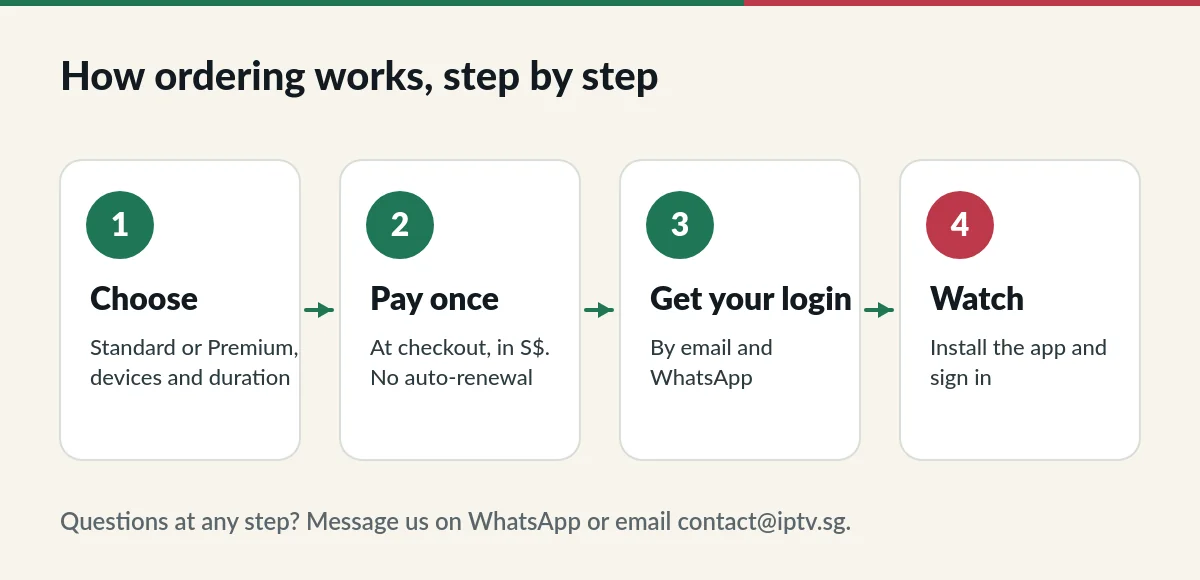
How to buy IPTV step by step
- Open the plans and prices page and pick Standard or Premium.
- Choose the number of devices or accounts and the duration, then press the button on the card. The product page opens with your choice selected.
- Check the price and press Buy now. You go straight to checkout.
- Enter your name, email and phone number. If you are renewing, open the renewal box and enter your current username and password.
- Choose a payment method and confirm.
Payment options for your IPTV subscription
The payment methods available are shown at checkout. Today they include Singapore FAST bank transfer and crypto options. Every price is shown in Singapore dollars before you confirm, and you pay once: nothing renews automatically.
After you buy IPTV: what happens next
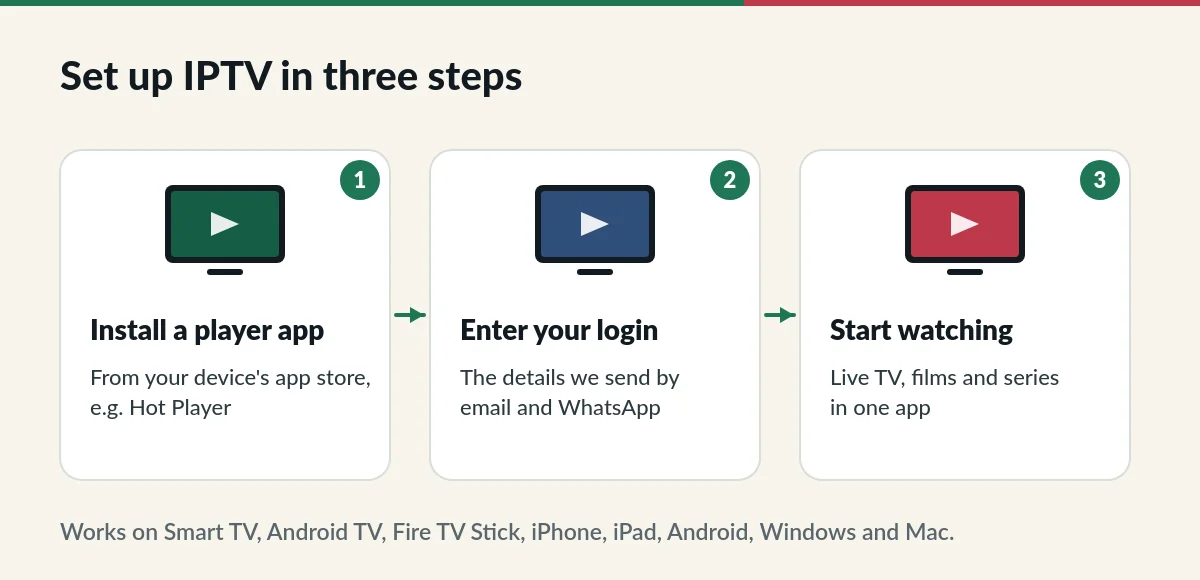
- We confirm your payment and send your login details and setup guide by email and WhatsApp.
- Install a player app (for example Hot Player) and enter your details. Our IPTV setup guide shows each step.
- Start watching. If anything does not work, reply to our message and we will help.
Getting help with your order
Message us on WhatsApp or email contact@iptv.sg with your order number. If your subscription has not been activated, you can ask for a refund within 7 days; see the IPTV refund policy.
What to have ready when you buy IPTV
- An email address you check: your login and setup guide arrive there.
- A phone number with WhatsApp, so we can send your details and help quickly.
- Your device nearby, so you can install the app as soon as your login arrives.
- If you are renewing, your current username and password for the renewal box.
Choosing a duration when you buy IPTV
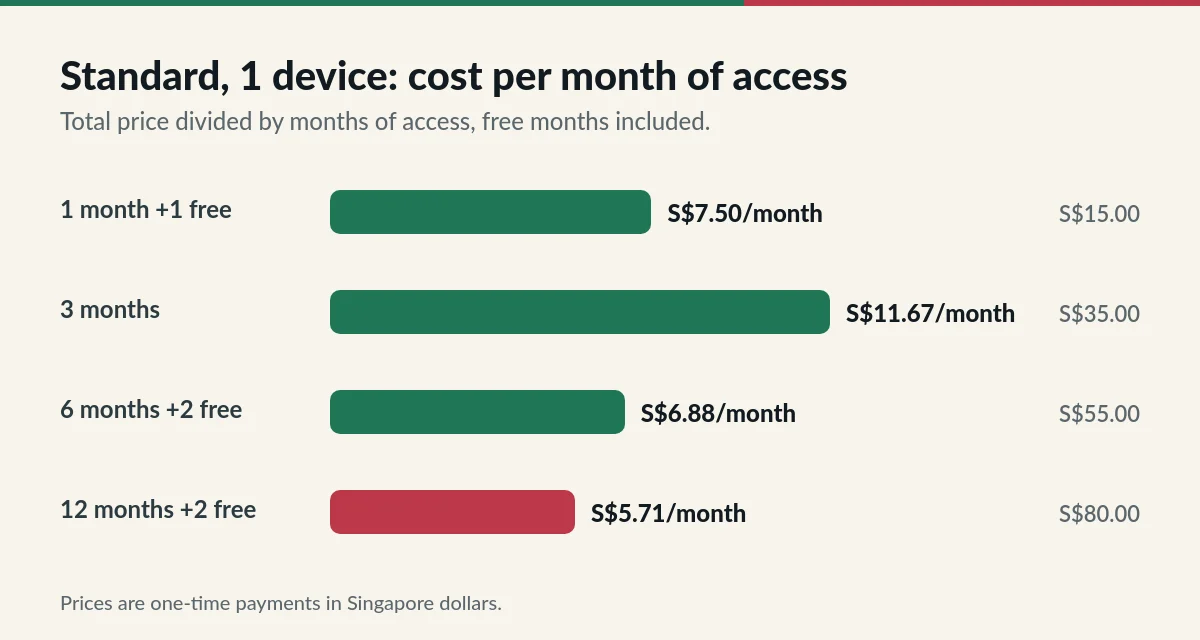
New to IPTV? The 1-month plan costs S$15 for one device and includes one free month, so you get two months to try the service on your own TV. If you already know you will keep it, the 12-month plan with two free months has the lowest monthly cost. The 6-month plan sits in between, also with two free months. Hot Player activation is included with every plan.
Common questions when you buy IPTV
How long does it take to receive my login?
We send your login details by email and WhatsApp once your payment is confirmed. Bank transfers and crypto payments are confirmed when they arrive; if you have not heard from us, message us with your order number.
Can I buy IPTV for someone else?
Yes. Enter the email address and phone number of the person who will watch, or forward the details to them after you receive them.
Is there a contract?
No. You pay once for the period you choose. Nothing renews automatically.
What if my payment fails?
Try again or choose another method at checkout. If money left your account but you received no confirmation, send us the payment reference and we will check it.
Ready to order?
Pick your plan and receive your login after payment.