Guide
What is IPTV and how does it work?
The basics of Internet Protocol Television, in plain English.
Learn and set up
Our IPTV guides explain how the service works, how to set it up on each device, how to choose a plan and how to fix common problems. Start with the basics or jump to the guide you need.

Guide
The basics of Internet Protocol Television, in plain English.
Guide
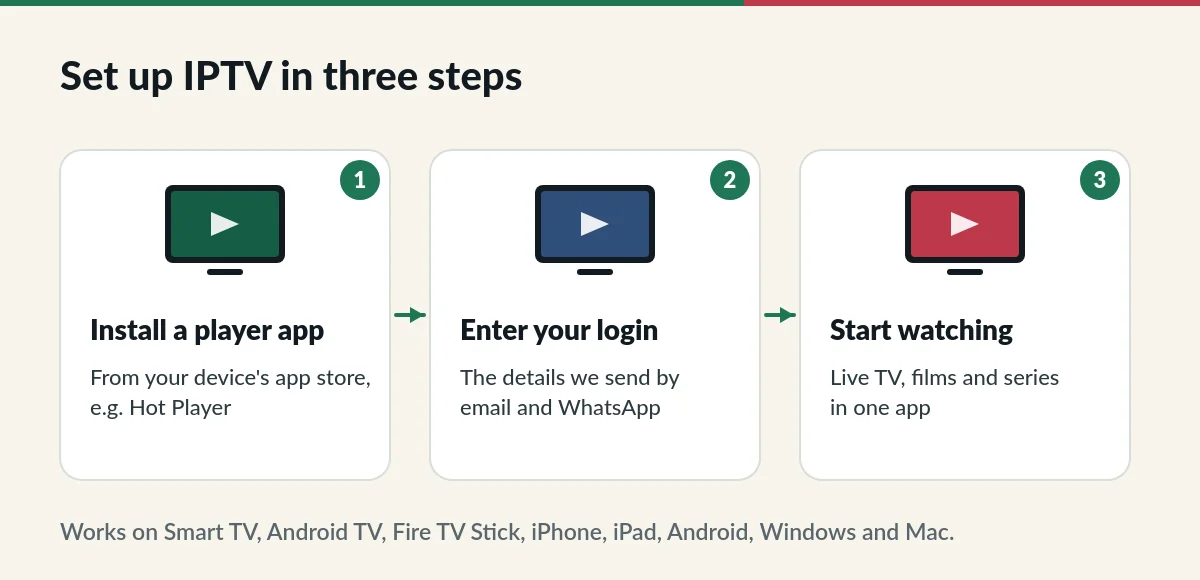
Install an app and sign in on Fire TV, Smart TV, phone or PC.
Guide
Which TVs, boxes and phones work, and how to check yours.
Guide
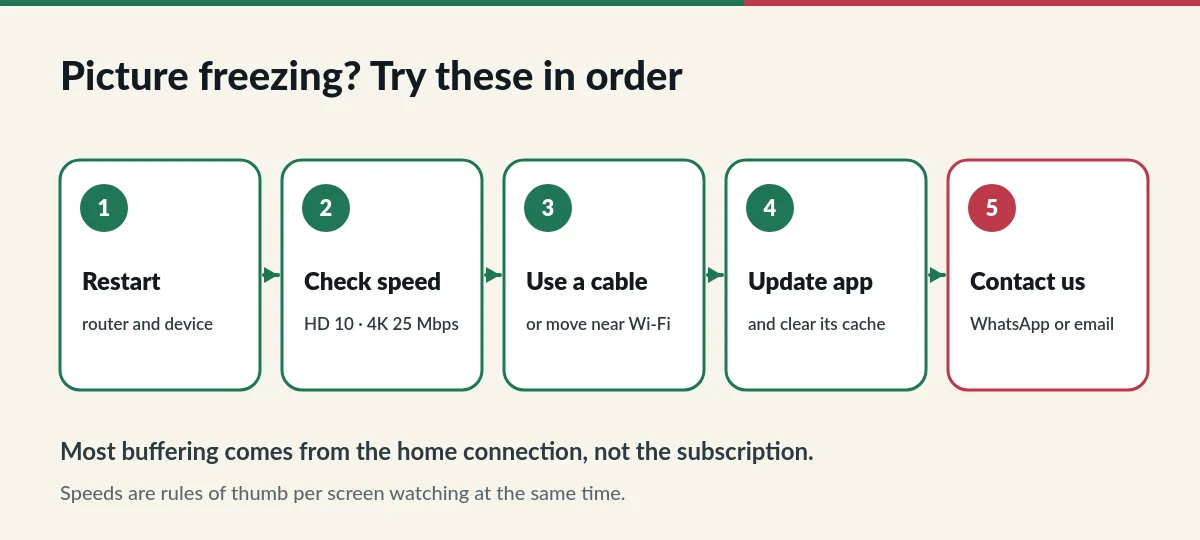
Fix buffering, freezing and login errors.
Guide
The four differences that matter when you choose.
Guide
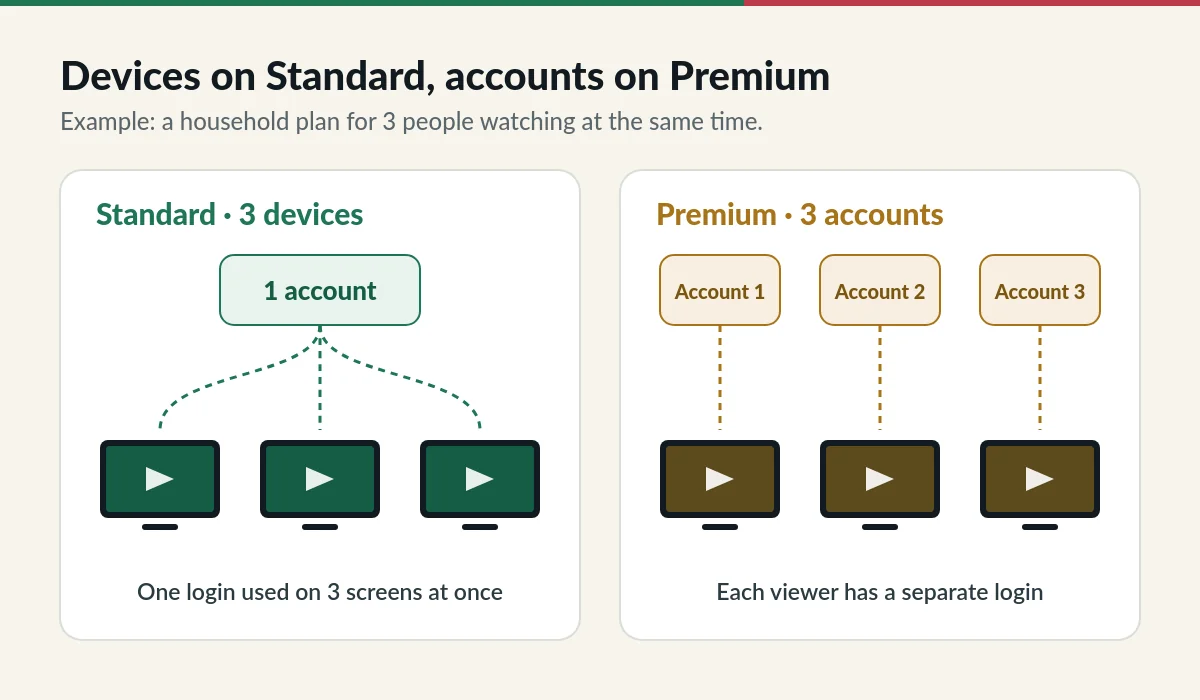
Devices on Standard, accounts on Premium.
Guide
Keep your login and choose a new duration.
Guide
Put your favourite channels first.
IPTV can look technical, but using it is simple once you know three words: the subscription gives you access to channels and films, the app plays them, and your connection carries them to your screen. Our guides follow that order. First, understand what IPTV is. Next, check that your device works and set up the app. Finally, learn the few fixes that solve almost every playback problem.
If you are comparing options, two guides help most. The Standard vs Premium comparison explains channel counts, accounts and prices side by side. The multiple devices guide explains the difference between devices sharing one account and separate accounts for each viewer, with examples for couples and families.
Already watching? The renewal guide shows how to keep the same login when your plan ends, and the custom channel list guide explains how to get a shorter list with only the channels you watch. If something stops working, the troubleshooting guide lists the checks to try in order before you contact us.
Each guide answers one question and links to the next step, so you never need to read everything. We write them from the questions customers actually send us on WhatsApp and email, and we update them when apps change their menus or when our plans change. Screens can look slightly different on your device: if a step does not match what you see, send us a photo and we will help and improve the guide.
If you are setting up for someone else, such as a parent or grandparent, send them the link to these IPTV guides, together with their login details. The steps are written so that someone who has never used IPTV can follow them on their own TV.
Prefer to talk it through? Our support team answers 24/7 and can walk you through any guide step by step, whether you are choosing a plan, setting up a new TV or fixing a picture that freezes.
These IPTV guides are written for viewers in Singapore and updated when apps or plans change. For the wider history of the technology, see Internet Protocol television on Wikipedia. Questions not covered here are answered in the IPTV FAQ.