Page
IPTV plans and prices
Standard and Premium, from S$15 a month.
Buyer’s guide
The right IPTV provider is the one that passes a few simple checks, not the one with the loudest advert. Here are nine things you can check before paying, a plan for testing a provider in your first month, and the warning signs that should make you think twice.
An IPTV provider sells the subscription: the live channels, the films and series on demand, the TV guide and the login that opens them. The player app on your TV is a separate piece, made by someone else, and it shows nothing until you sign in. Our guide to the best IPTV player apps covers that side.
That split answers a question people often ask: “Who is my IPTV provider?” It is the company that sold you your login, not the maker of the app. Look for the email or WhatsApp message that sent your username; whoever sent it is your provider. New to all this? Start with what IPTV is.
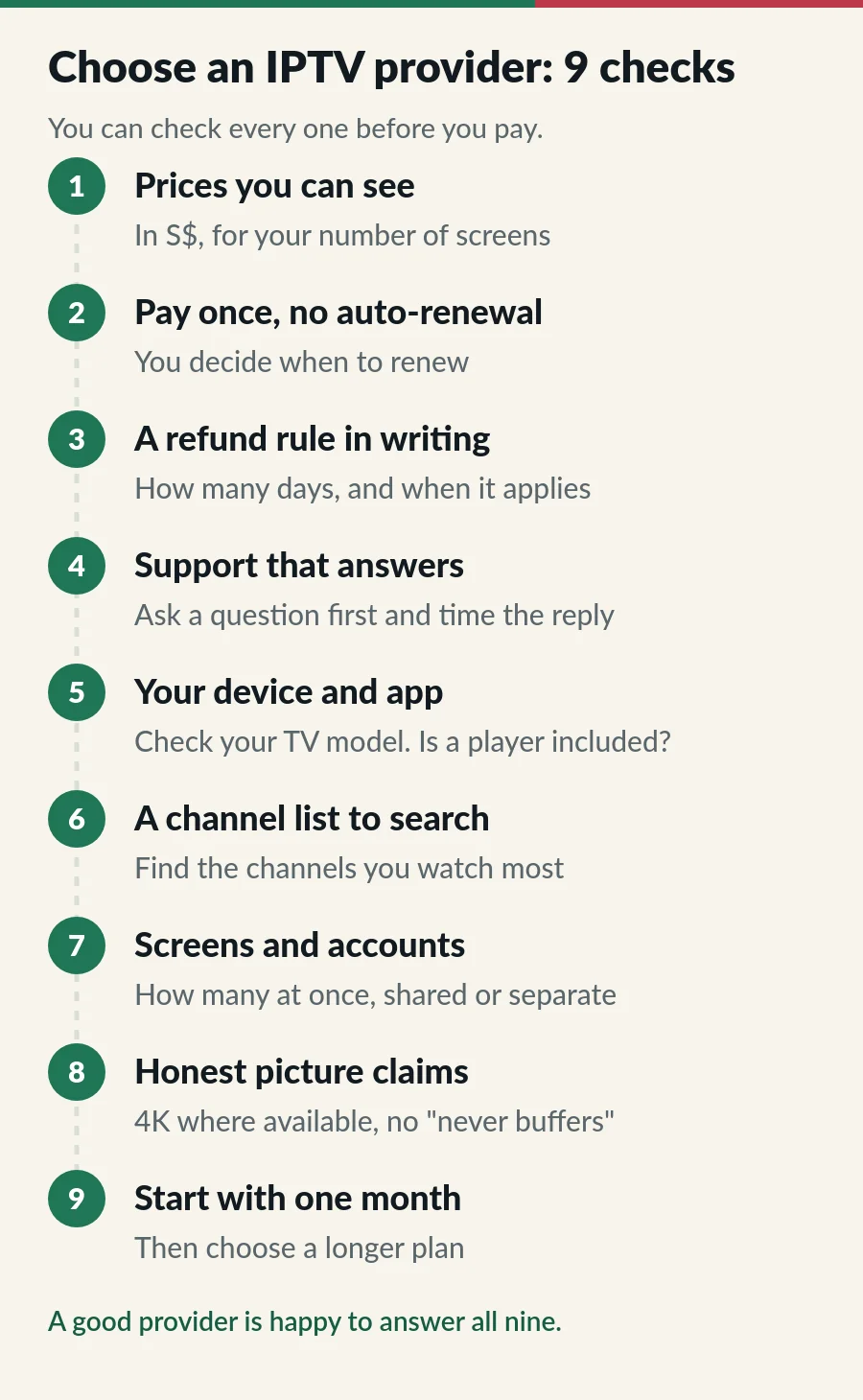
A good provider shows the full price for your number of screens on its website, in S$, before you order. If you only get a price after sending a message, or it changes once you ask, keep looking.
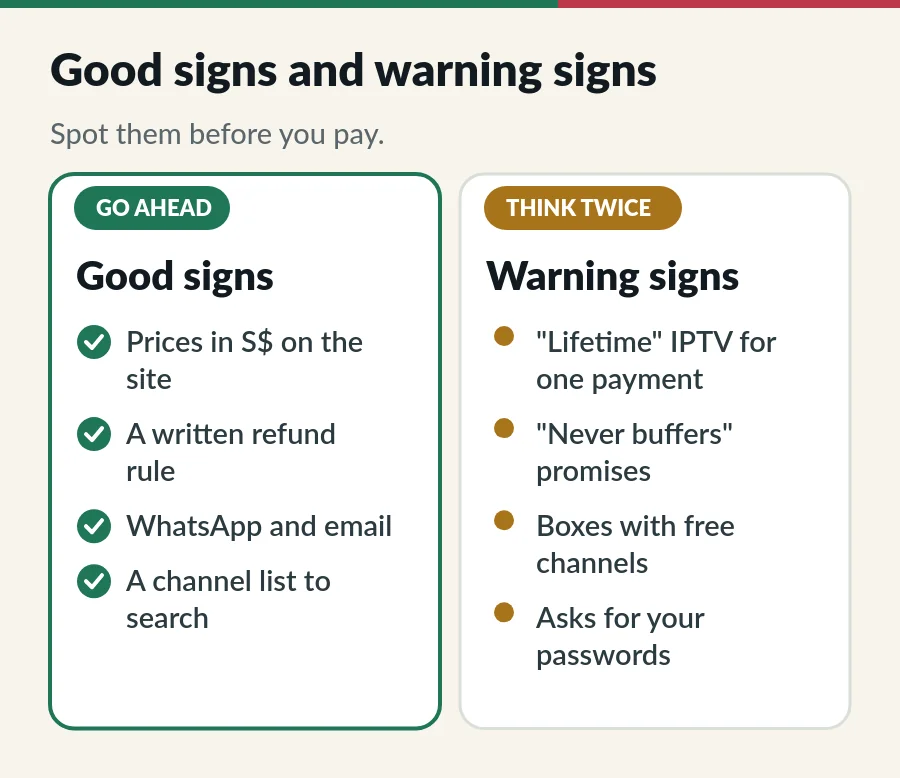
Find out whether you pay once for a fixed period or sign up for something that charges you again. With one-time plans, nothing renews unless you choose to, so there is nothing to cancel.
Read the refund policy before you pay: how many days you have, and what counts as “used”. A rule you can point to is worth more than a promise in a chat.
Send a question before you buy, ideally in the evening or at the weekend, which is when you are most likely to need help. Note how long the reply takes and whether it answers what you asked. More than one way to reach the provider, such as WhatsApp and email, is a good sign.
Check that the service works on the screen you watch most, down to the model, and whether a player app is included or costs extra. A provider that cares will confirm your model if you send it. Our list of IPTV supported devices shows what to look for.
Write down the channels you watch every week, such as your local news or your home-country channels, and find them in the provider’s list before you pay. Channel counts on their own tell you little; what matters is whether your channels are there. Line-ups change, so ask about any channel you cannot do without.
Count the screens that may play at the same time: the living-room TV, a bedroom TV, a tablet. Then check that the plan covers that many, and whether they share one account or each get their own. Our page on IPTV on multiple devices explains the difference.
4K is only as good as the channel, the device and the connection, so a fair provider says “4K where available”. Nobody can promise that a stream never buffers on every home Wi-Fi, and our IPTV buffering guide explains why. Promises such as “zero buffering” or “100% uptime” are a reason to ask more questions, not fewer.
Even a good provider may not suit your home. A one-month plan costs little and tells you more than any review. When it works on your TV at your busiest hours, move to a longer plan, which is usually cheaper per month.
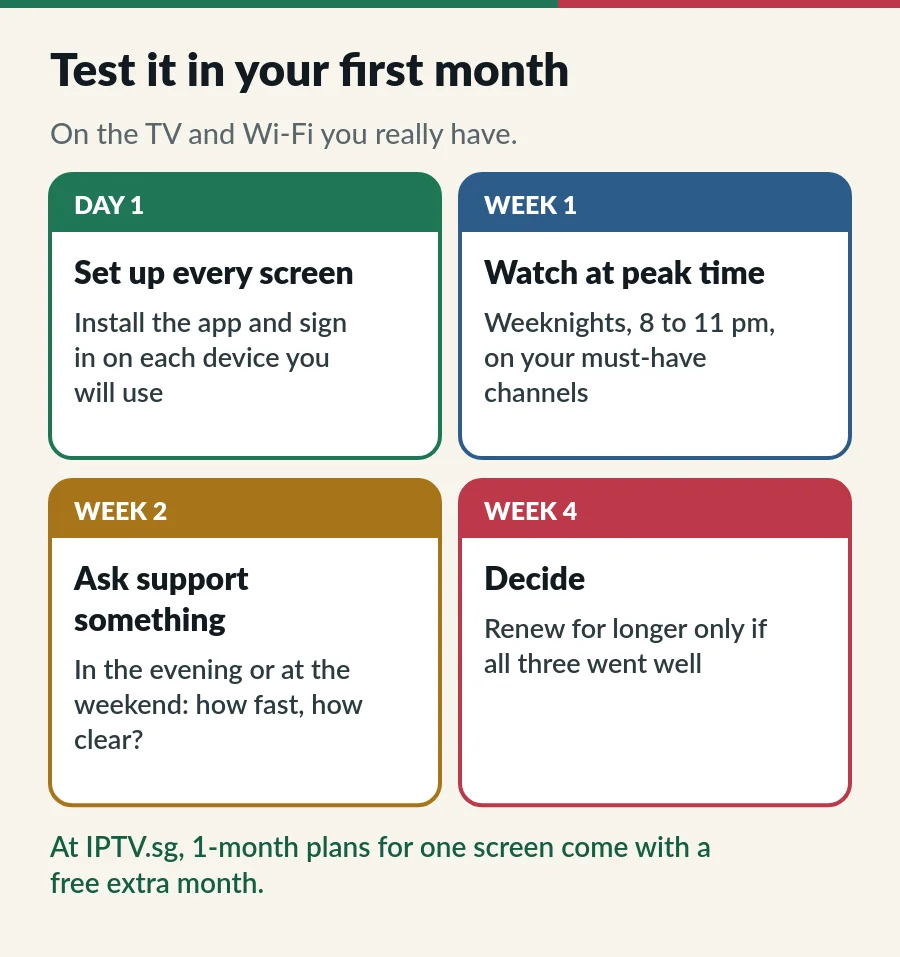
Keep short notes as you go: which channel, what time, what happened. If something goes wrong, those details help any provider fix it quickly.
If an offer feels like a scam, check it on ScamShield, Singapore’s official anti-scam site. For your rights as a buyer, the Consumers Association of Singapore (CASE) has clear guides.
We are an IPTV provider too, so judge us by the same list. Here is where we stand on each point:
| Check | IPTV.sg |
|---|---|
| Prices | Every plan in S$ on our IPTV plans and prices page, from S$15 a month. |
| Payment | One-time. Nothing renews automatically. |
| Refunds | Full refund within 7 days if the plan has not been activated or used to stream. See the refund policy. |
| Support | WhatsApp and email, 24/7. |
| Devices and app | Smart TVs, Android TV, Fire TV Stick, phones, tablets and computers. Hot Player is included. |
| Channel list | Search the IPTV Singapore channels list by country and category before you buy. |
| Screens | Standard: 1, 2 or 3 devices on one account. Premium: 1, 2 or 3 separate accounts. Compare the two. |
| Picture | 4K, Full HD and HD where the channel or title offers them. |
| Start short | 1-month plans; for one screen, they come with a free extra month. |
We do not run trials. Instead, ask us anything on this list before you pay, and if your login has not been activated, our refund rule covers you for 7 days.
Judge us like any other IPTV provider: these pages show our plans, how ordering works and how renewing works.
A company that sells IPTV subscriptions: the channels, films, series and TV guide, delivered over the internet, plus the login that opens them in a player app.
The company that sold you your login. Check the email or message that sent your username; the maker of the player app is a different company.
There is no single best IPTV provider for every home. The right one has your channels, works on your devices, answers when you need help and is clear about prices and refunds. Use the nine checks above, then test for a month.
A trial helps, but a short plan does the same job and shows you the real service. We do not run trials: our 1-month plans are the low-cost way to test, and you can ask us anything first.
Per month, yes, but only once you know the service works for you. At IPTV.sg, the 12-month Standard plan for one device is S$80 for 14 months of access, about S$5.71 a month.
Usually not. Your TV or stick stays the same, and most player apps simply take the new login.
Page
Standard and Premium, from S$15 a month.
Page
A plain-English guide to TV over the internet.
Guide
Six player apps compared by device, sign-in, TV guide and price.
Page
Devices on Standard, accounts on Premium.
Prices in S$, one-time payments, a written refund rule and help on WhatsApp 24/7. Ask us anything first.