Guide
M3U playlist for IPTV
What is inside the link, three apps to open it and how to keep it safe.
Explainer
Xtream Codes is the login most IPTV apps ask for: a server URL, a username and a password. Here is what each detail looks like, where to find it, how to sign in step by step, and what the common error messages mean.
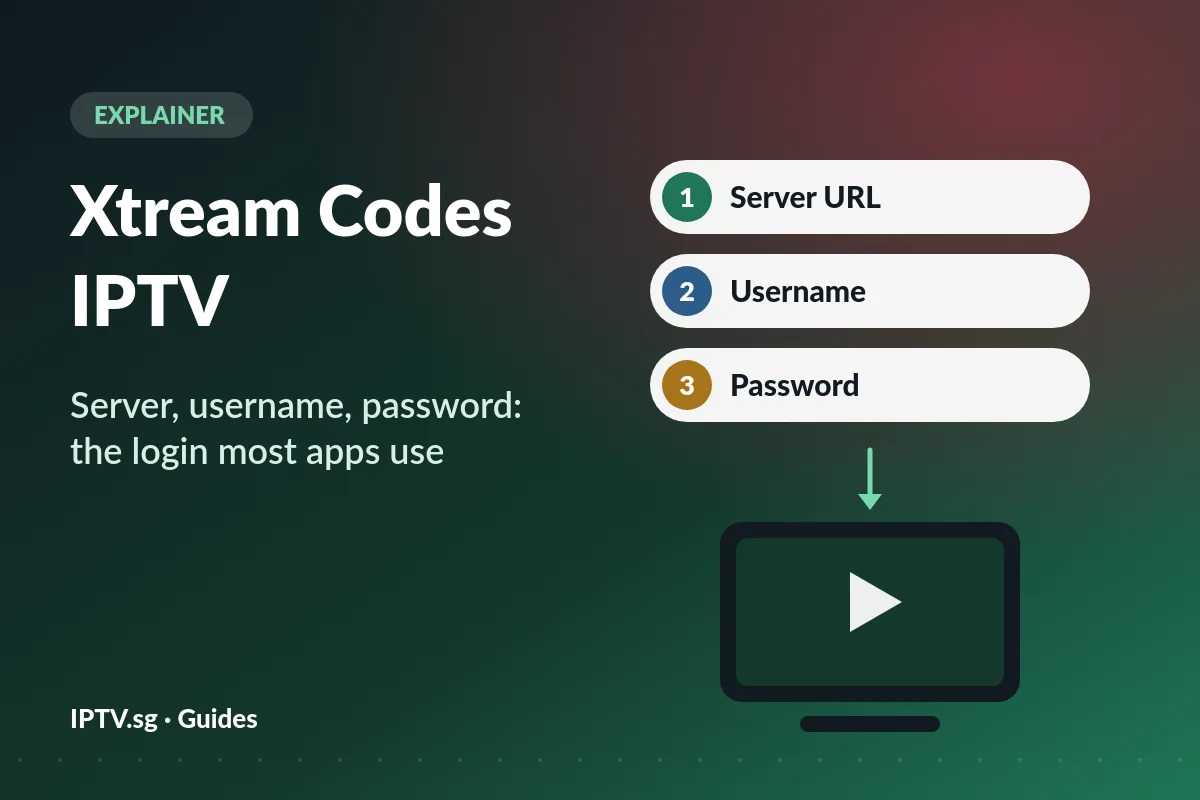
Xtream Codes began as the name of software that IPTV providers used to run their services. That software is long gone, but the way it let apps sign in stuck. Today, when a player app offers “Xtream Codes” or simply “XC”, it means one thing: sign in with a server address, a username and a password.
It is not an app and not a subscription. You cannot download it or buy it on its own. It is a type of login that you use inside a player app, such as IPTV Smarters Pro or TiviMate, with the details your provider sends you.
Once you are signed in, the app talks to the server directly. It fetches the channel list, the TV guide, and the films and series, each in its own section. That is the big difference from an M3U playlist, which arrives as one long list.
| Detail | Looks like | Watch out for |
|---|---|---|
| Server URL | http://tv.example:8080 | Keep http:// at the start and the port number (:8080 here) at the end, with nothing after it. |
| Username | demo123 | Capitals matter. No space before or after. |
| Password | pass456 | Capitals matter. The letter O and the number 0 look alike. |
These are example details: yours are in your welcome message. Some apps also ask for a “name” or “playlist name”. That is only a label for you, such as Living room TV.
A tip for TVs: on-screen keyboards like to add a capital letter at the start or a space at the end. If a login fails, check those two things first.
Have an M3U link, but your app wants Xtream Codes? You do not need to wait for new details, because the link already contains all three:
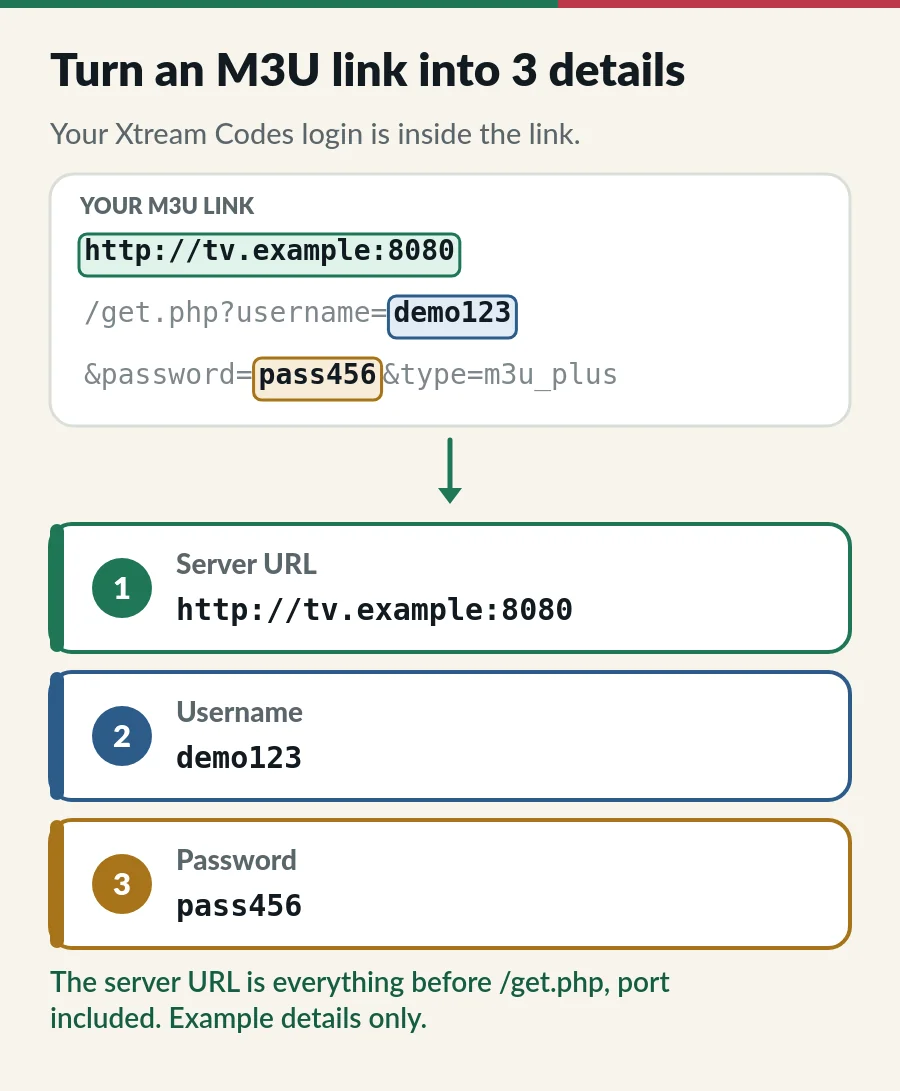
Do this on a phone or computer, where copying is easy, then type the three details into the TV. Keep the link and the details private: they open your account.
On iPhone and iPad, Smarters Player Lite calls it Login with Xtream Codes API, and our IPTV Smarters Pro setup guide shows its four boxes. With Hot Player you type nothing at all: you send us the MAC address from its start screen and we activate it for you.
Most popular IPTV players do. Here is how the apps in our guides sign in:
| App | Devices | Signs in with |
|---|---|---|
| Smarters Player Lite | iPhone and iPad | Yes: Login with Xtream Codes API |
| TiviMate | Android TV, Google TV, Fire TV | Yes: Add playlist > Xtream Codes |
| IBO Player | Many Smart TVs, Android | Yes, as well as M3U |
| Kodi + PVR IPTV Simple Client | Computers, Android TV | No: it uses the M3U link |
| VLC | Computers and phones | No: it uses the M3U link |
| Hot Player | Smart TVs, Android TV, Fire TV | Not needed: we activate it by MAC address |
Not sure which player suits your screen? Compare the best IPTV player apps, or see the full list of IPTV supported devices.
IPTV apps sign in in one of three ways. All three open the same channels; what changes is how much you type and how neatly the app sorts films, series and the TV guide.
| Login type | What you enter | Used by |
|---|---|---|
| Xtream Codes | Server URL, username and password | Smarters Player Lite, TiviMate, IBO Player and many more |
| M3U link | One long web link | VLC, Kodi and most other players |
| MAC address | Nothing: you send us the code the app shows, and we activate it | Hot Player |
With a TV remote, MAC activation means the least typing, and Xtream Codes comes next. Whichever you use, treat the details like a bank PIN: anyone who has them can watch on your plan, and their screens count against yours. Never post them in groups or forums.
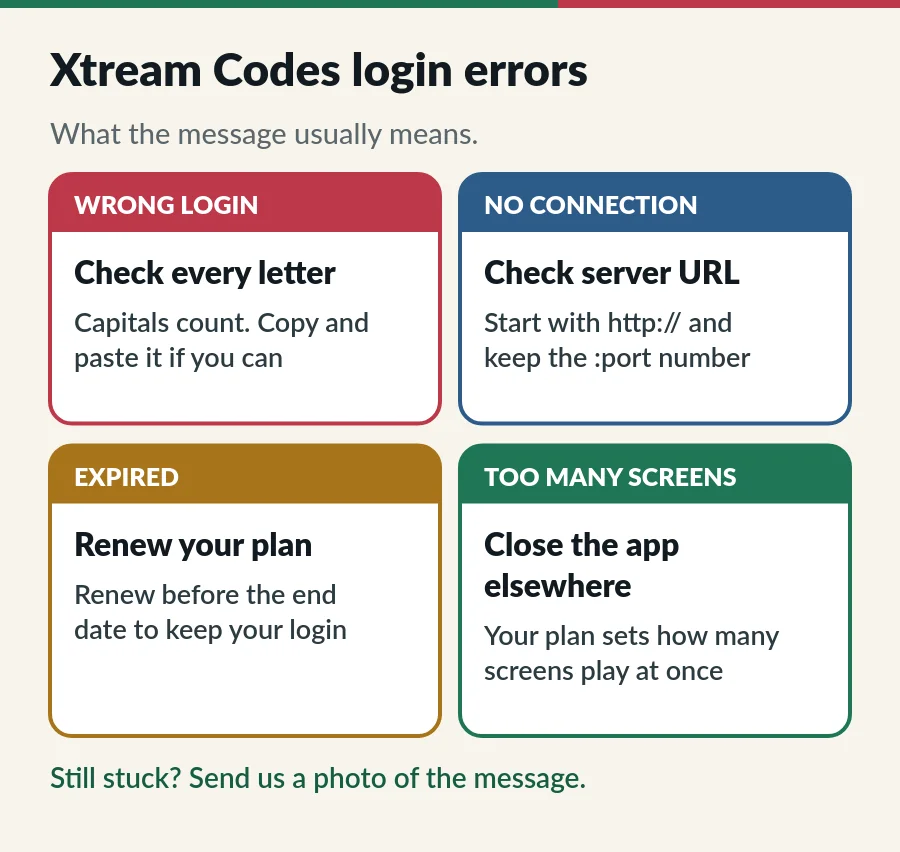
| Message | What it usually means | Fix |
|---|---|---|
| Invalid username or password | A typo, a capital letter or a space | Type it again slowly, or paste it |
| Unable to connect, server not found | The server URL is incomplete or has extra parts | Use http://, the full address and the port, with nothing after it |
| Account expired | The plan has reached its end date | Renew to keep your login: see IPTV renewal |
| Max connections reached | More screens are playing than your plan allows | Close the app on another device, then wait a minute |
| Signed in, but no TV guide | The guide has not downloaded yet | Refresh the EPG in the app settings (how the TV guide works) |
The exact wording varies a little between apps. Still stuck? Send us your username (never your password), the app name and a photo of the message on WhatsApp. More fixes are in our IPTV troubleshooting guide.
Your Xtream Codes login comes with your plan. These steps cover choosing, ordering and renewing.
No. It is a way of signing in. You use it inside a player app, such as IPTV Smarters Pro or TiviMate.
Yes, as a login method. The original software is long gone, but most player apps still offer this login and providers still use it.
In the welcome message from your provider. At IPTV.sg we send your login by email and WhatsApp; if the server URL is missing, ask us and we send it.
The number after the colon at the end of the server URL, such as :8080. If your server URL has one, keep it: without it, the app usually cannot connect.
For everyday viewing, usually yes. It is quicker to type, the TV guide loads by itself, and films and series stay in their own sections. The M3U link suits VLC and Kodi.
Yes, as long as the screens playing at the same time stay within your plan.
Guide
What is inside the link, three apps to open it and how to keep it safe.
Guide
The TV guide explained, Singapore time and six quick fixes.
Guide
Install the app, sign in with Xtream Codes and fix login errors.
Guide
Six player apps compared by device, sign-in, TV guide and price.
Order a plan and we send your login by email and WhatsApp. Missing the server URL? Ask us, 24/7.