Page
My IPTV
MyIPTV Player, look-alike apps and your login.
App guide
MyIPTV Player turns a Windows PC or an Xbox into an IPTV screen. Here is how to install it, where your playlist and TV guide links go, how it works on Xbox and how to fix the usual problems.
MyIPTV Player is a free IPTV player for Windows 10, Windows 11 and Xbox, listed in the Microsoft Store. It reads an M3U playlist, the file that lists your channels, and shows them with a TV guide. Like every player, it has no channels of its own.
It is one of the apps people mean when they search for “My IPTV”; our My IPTV page explains the others, from phone apps with similar names to Android boxes.
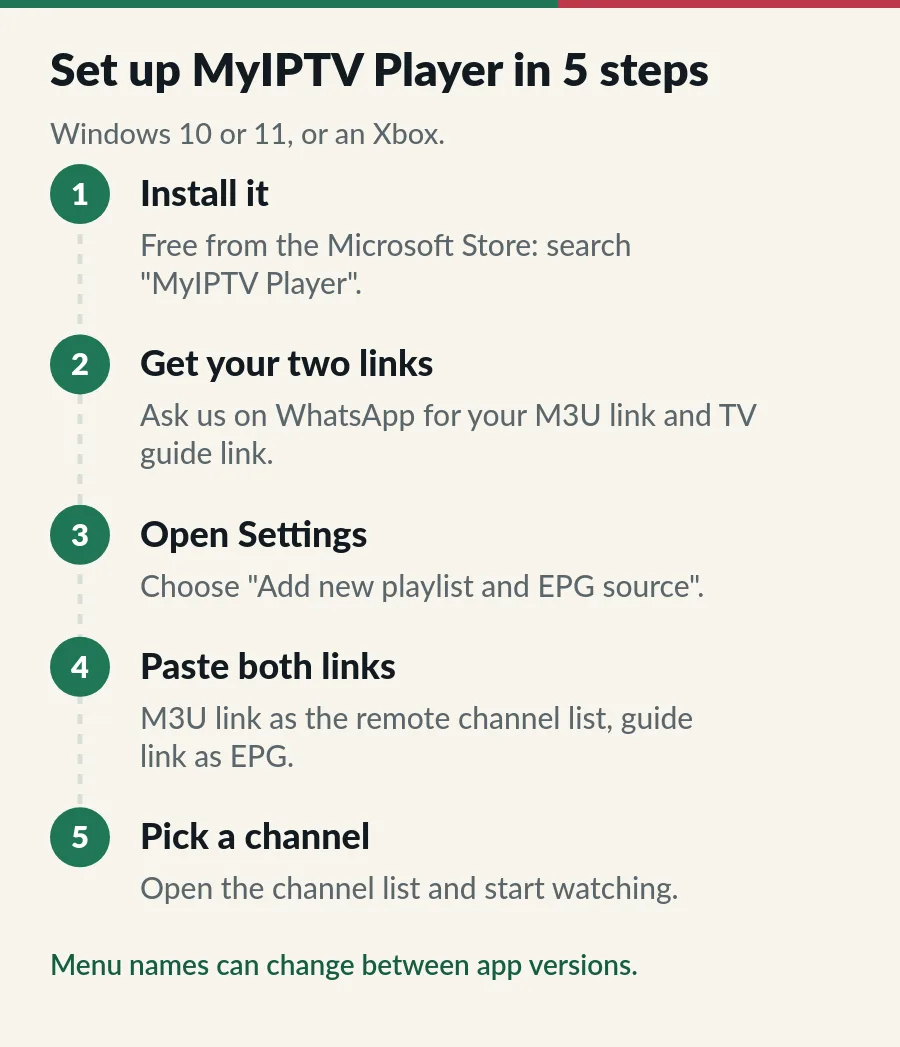
Menu names can change from one app version to the next; if a button is called something slightly different, look for the playlist or channel list settings.
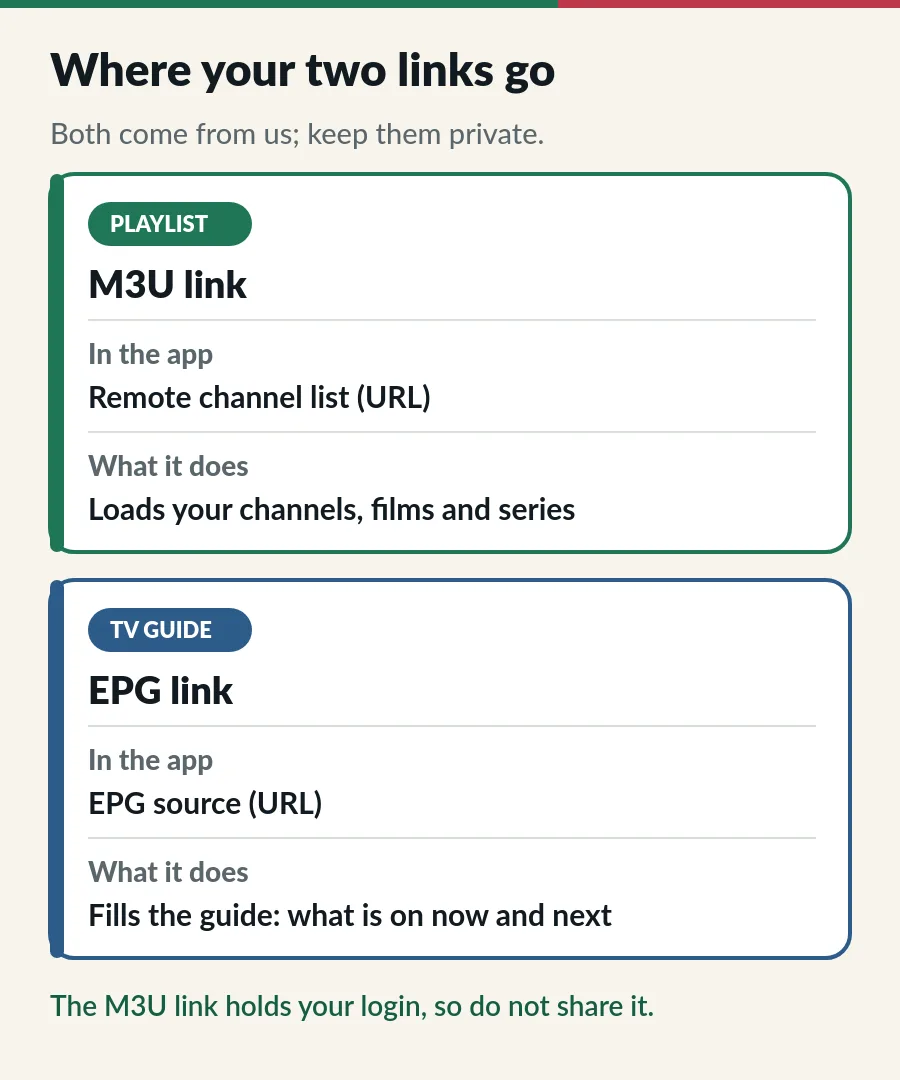
The M3U link loads your channels, films and series; the EPG link fills the TV guide with what is on now and next. Your M3U link contains your username and password, so treat it like a password and do not post it anywhere. Our M3U playlist guide explains what is inside the link, and the EPG guide covers guide problems.
The same app runs on Xbox One and Xbox Series consoles, so you can watch on the big TV the console is plugged into. Install it from the Store on the console and follow the same steps. Typing a long link with a controller is slow, so plug in a USB keyboard if you have one.
| What you see | What to try |
|---|---|
| No channels after saving | Check the M3U link was copied in full, with no space at the end, then refresh the playlist. |
| TV guide is empty | Add the EPG link, save and give it a few minutes to load. |
| Guide times look wrong | Set the Windows clock to Singapore, automatic. |
| Picture stops and starts | Use a network cable and close big downloads; see the troubleshooting guide. |
| Plan expired message | Renew before the end date to keep your login (see IPTV renewal). |
Prefer another app? Our guide to the best IPTV player apps compares options for every screen, and the IPTV setup guide covers other devices. Our IPTV for PC guide compares the free Windows players side by side.
MyIPTV Player is only half of the picture: the channels come from your plan. Here is where to go next.
It is listed as a free download in the Microsoft Store.
No. It is a player. You add your own playlist from your IPTV subscription.
MyIPTV Player uses an M3U link. If your app asks for a server URL, username and password instead, see our Xtream Codes guide.
Yes, within your plan. Each screen that plays at the same time needs its own device on Standard or its own account on Premium.
Page
MyIPTV Player, look-alike apps and your login.
Guide
Six player apps compared by device, sign-in, TV guide and price.
Page
From login to first channel on every device.
Page
Freezing, buffering and login problems, fixed in order.
Message us on WhatsApp and we send your M3U and TV guide links.