Page
IPTV troubleshooting
Freezing, buffering and login problems, fixed in order.
Fix guide
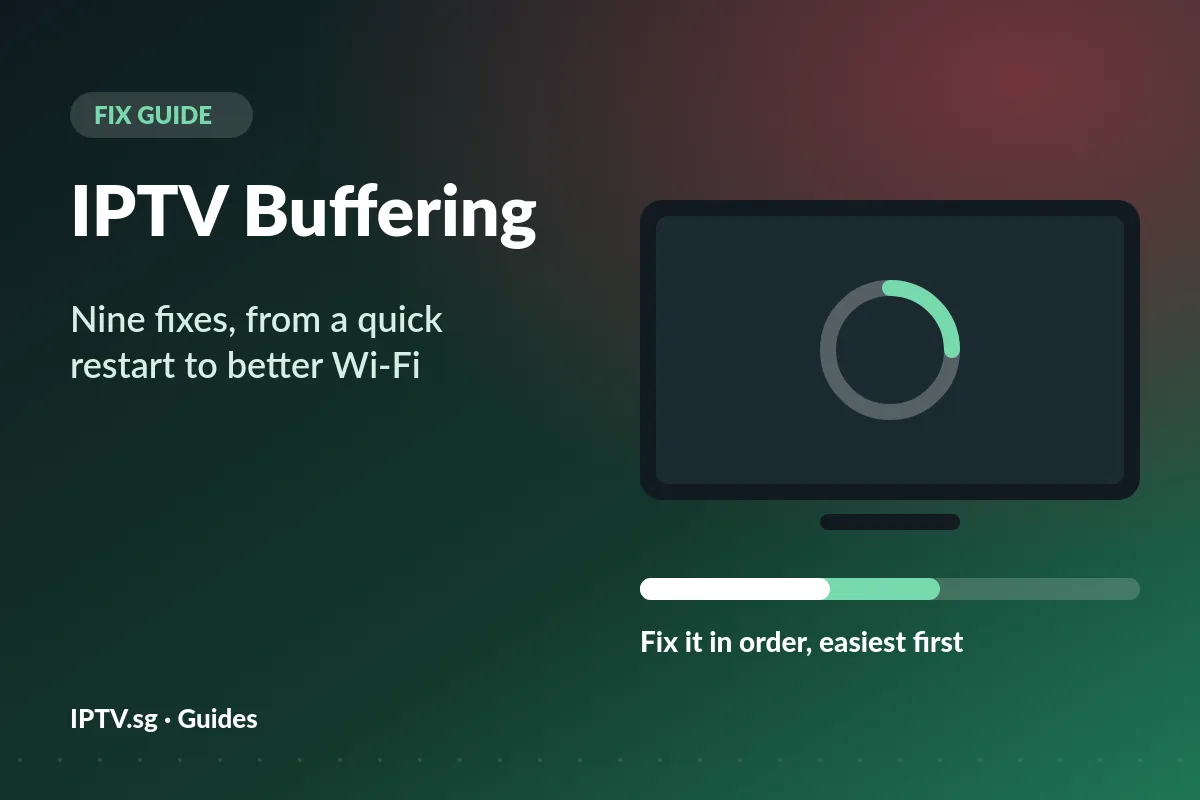
IPTV buffering happens when the stream reaches your screen more slowly than it plays, so the picture stops to catch up. In most homes the cause is the Wi-Fi between the router and the TV, not the fibre plan. Find where it buffers first, then work through nine fixes, easiest first.
Your player does not show the stream the instant it arrives. It keeps a few seconds of video in a small store called a buffer and plays from there. As long as the stream fills the buffer faster than the picture empties it, you never notice.
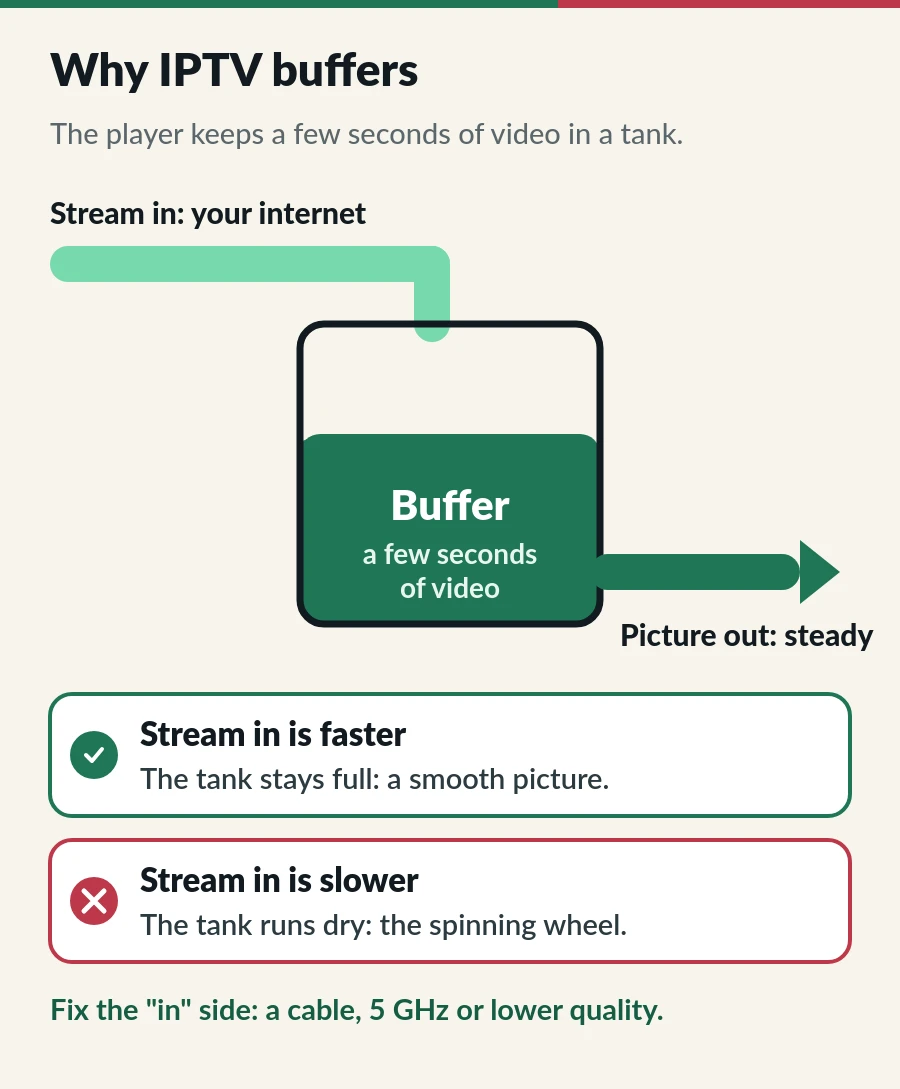
IPTV buffering starts when the flow drops for longer than the buffer can cover. That is why a speed test can look great while the picture still stops: Wi-Fi often delivers in bursts with short drop-outs, and a 30-second test averages them away.
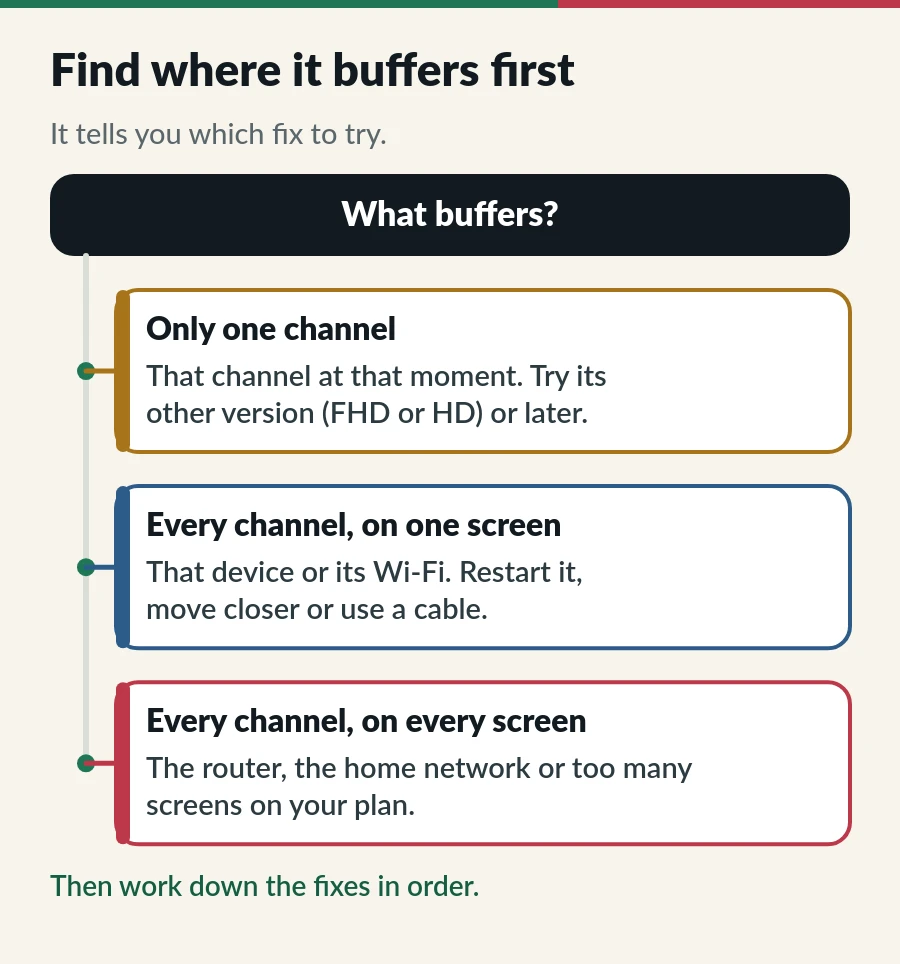
Only one channel? The problem is that channel at that moment, not your setup. Many channels have several versions, such as FHD and HD, so try another one or come back later. The IPTV Singapore channels list shows the versions each channel has.
Every channel, but on one screen? Look at that device and its Wi-Fi. A TV at the far end of the flat, connected on 2.4 GHz, is the classic case.
Every channel on every screen? Restart the router, check that nothing big is downloading, and make sure you are not watching on more screens than your plan allows; extra screens make streams stop. See IPTV on multiple devices.
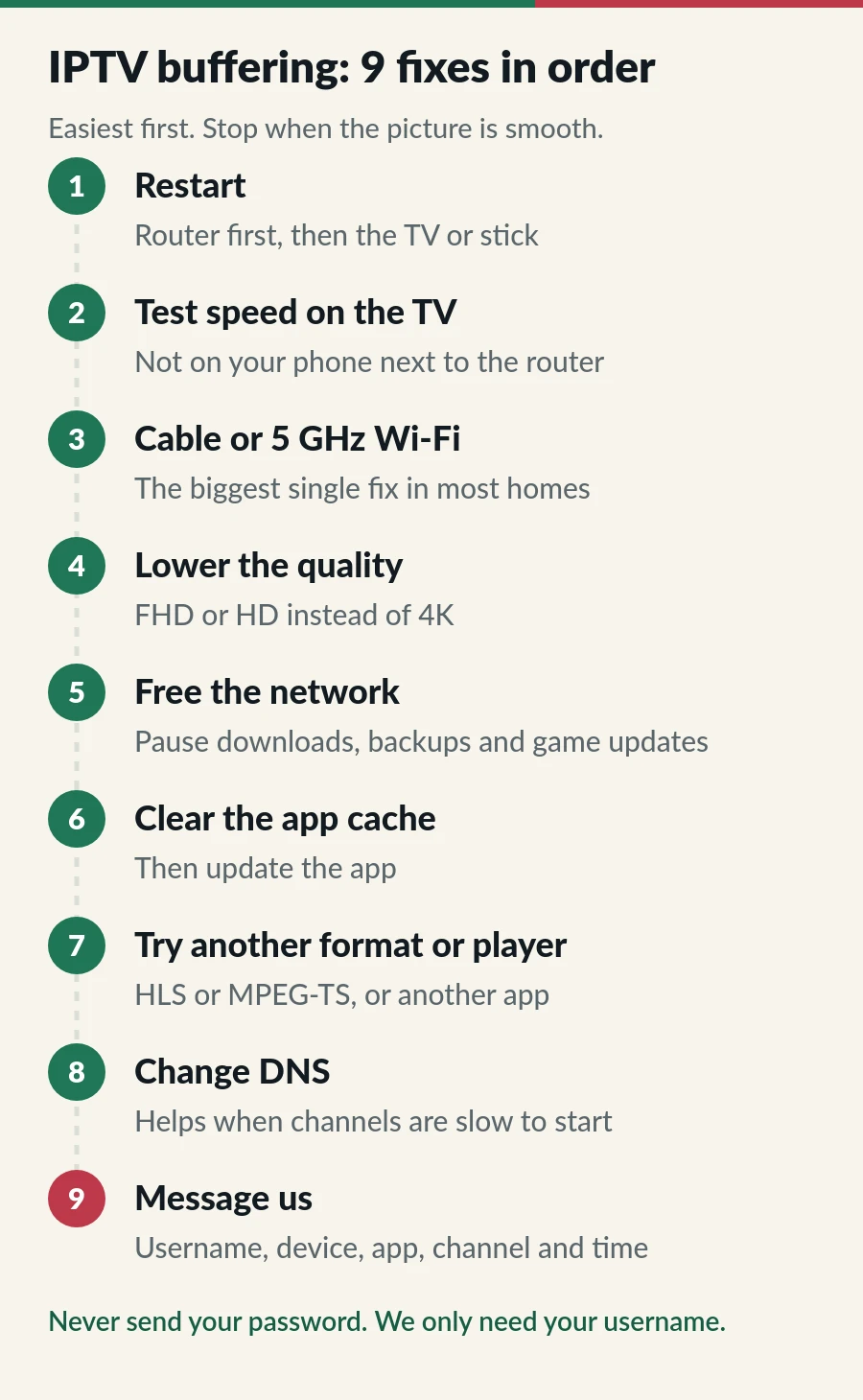
Switch the router off at the wall, wait 30 seconds and switch it back on. When its lights settle, restart the TV or stick. On a Samsung TV, hold the power button on the remote for about five seconds until it restarts, which clears its memory (more Samsung tips). On Fire TV, go to Settings > My Fire TV > Restart.
Run a speed test on the device that buffers, at the time it buffers. Most smart TVs have a web browser, and on Android TV and Fire TV you can install a speed test app. Compare the result with our rule of thumb: about 10 Mbps per screen for HD, 15 for Full HD and 25 for 4K.
If your phone shows 500 Mbps next to the router and the TV shows 12 Mbps in the living room, you have found the problem: the Wi-Fi path, not your plan.
This is the biggest single fix for IPTV buffering in most homes. A network cable from the router to the TV or box takes Wi-Fi out of the picture; a Fire TV Stick needs an Ethernet adapter for it. If a cable is impossible, join the 5 GHz network, or add a mesh point near the TV.
4K needs about two and a half times the data of HD. If 4K or FHD stutters, choose the HD version of the channel. Our 4K IPTV guide explains what 4K needs to play smoothly.
Pause big downloads, cloud photo backups, game updates and video calls while you watch. They all compete with the TV for the same Wi-Fi.
A full cache can cause IPTV freezing and stutter. On Fire TV, open Settings > Applications > Manage installed applications, pick the player and choose Clear cache. On Android TV, it is Settings > Apps. On Samsung TVs, it is Settings > Support > Device Care > Manage Storage. Then check the app store for an update.
Many players let you switch the stream format, usually between HLS and MPEG-TS (sometimes shown as TS); one often plays more smoothly on a given device. Some also have a buffer size setting: a bigger buffer starts a second later but rides out short drops. Or try another app from our best IPTV player apps.
DNS turns server names into addresses. Switching your router or device to a well-known public DNS, such as Cloudflare 1.1.1.1 or Google Public DNS, can help when channels are slow to start or lists fail to load. It rarely fixes buffering in the middle of a programme, so try it after the steps above.
You do not need a VPN for our service, and a VPN adds a detour for every stream. If you use one, switch it off and test again. If IPTV buffering continues, message us with the details listed below.
Between about 8 pm and 11 pm, everyone is home and online. In a block of flats, dozens of neighbouring Wi-Fi networks share the same air and crowd the 2.4 GHz band, while your own household is busier too.
If IPTV buffering only happens in the evening, give the TV a cable or 5 GHz, schedule big downloads for the night, and pick HD for the busiest hours.
| What you see | Likely cause | Try this |
|---|---|---|
| Spinning wheel every few minutes, all channels | Wi-Fi drop-outs | Cable or 5 GHz, or a mesh point near the TV |
| Picture freezes, sound carries on | The device is struggling, often with 4K or HEVC | Pick FHD or HD, restart the device, clear the cache |
| Channels are slow to start, then fine | Slow lookups or a very large list | Change DNS; use an Xtream Codes login instead of M3U |
| Buffers only in the evening | Peak-time Wi-Fi and household traffic | Cable, 5 GHz, HD at peak times |
| Buffers on one TV only | That device or its distance from the router | Move it closer, cable it, restart it |
| Stops on two screens at once | More screens than your plan allows | Close the app on screens you are not using |
IPTV lag can mean two things: a picture that stutters, covered above, or live TV that runs a little behind the broadcast. The second is normal for every internet stream and is not a fault. For login errors and channels that will not open, see IPTV troubleshooting.
If IPTV buffering continues after the first five fixes, message us and send:
We check your account and the channel with you on WhatsApp or by email at contact@iptv.sg.
Once IPTV buffering is sorted, these pages cover the rest: choosing, ordering and keeping your plan running.
Because the speed was measured in the wrong place. A phone next to the router can show hundreds of Mbps while a TV two rooms away gets a fraction of that. Test on the TV itself.
Usually not. You do not need a VPN for our service, and it adds a detour that can make buffering worse. Try without it.
Yes. 4K needs about 25 Mbps per screen, against about 10 Mbps for HD, so it is the first to stutter on weak Wi-Fi.
Use 5 GHz or an Ethernet adapter, keep 1 GB of storage free, clear the player cache and restart the stick once a week. Our IPTV on Firestick guide has the steps.
Rarely, but it happens. If every device buffers, even on a cable, and a speed test over that cable is slow at the same time, contact your internet provider. If the speed is fine, message us and we check your account and the channel.
Page
Freezing, buffering and login problems, fixed in order.
Guide
Five checks for a sharper picture: TV, device, HEVC, speed and channel.
Guide
Install a player from Apps, send us the MAC address and watch.
Guide
Developer options, Downloader, your player and sign-in.
Send us your username, device, app and a speed test from the TV. We check it with you.