Page
IPTV setup guide
From login to first channel on every device.
Device guide
IPTV on Samsung Smart TV takes about ten minutes: install a player from the TV’s Apps store, open it and activate it. With Hot Player, included with every IPTV.sg plan, you send us the MAC address from its start screen and we do the activation for you.
Samsung Smart TVs have run Samsung’s own system, Tizen, since 2015. Crystal UHD, QLED, Neo QLED, OLED and The Frame models all use the same Apps store, so the steps below work on each of them.
Most models from recent years can run a compatible player; very old ones may not list one. To check yours, open Settings > Support > About This TV, which shows the model code and software version. Send us the model code on WhatsApp and we confirm before you order.
One thing that does not work on Samsung: Android app files (APKs). Tizen cannot install them, so the Downloader method from our IPTV on Firestick guide does not apply to the TV itself.
Setting up an LG TV instead? LG uses webOS, with its own store and menus: see IPTV on LG Smart TV.
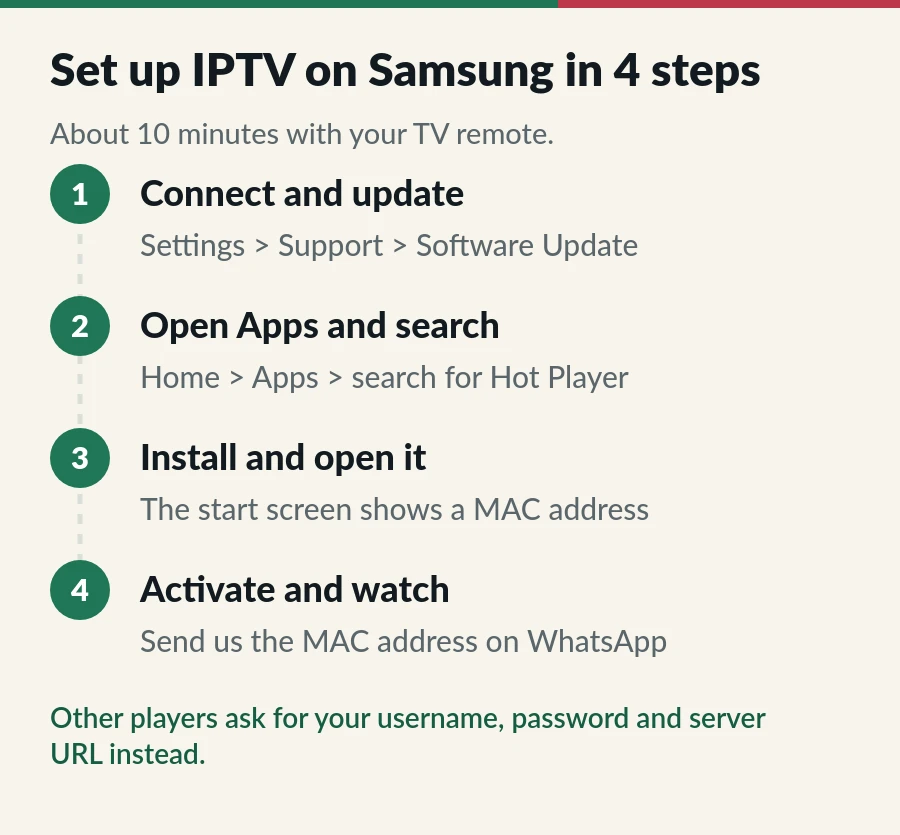
Connect the TV to the internet, by cable if the router is close. Then open Settings > Support > Software Update and choose Update Now. If the TV asks you to accept the Smart Hub terms or sign in to a Samsung account, do that first, as the Apps store may need it.
Press the Home button on the remote, go to Apps and select the search icon. Type Hot Player. App lists differ by model year and country, so if it is not there, read the options further down.
Select Install, then Open. You can also add it to the Home screen so it is one click away. The first time it opens, Hot Player shows a MAC address on its start screen.
Send us the MAC address and your order number on WhatsApp or by email. We activate Hot Player for that TV and confirm; then you open the app and your channels load. That is it: IPTV on Samsung Smart TV, ready to watch. Other players skip this step and ask for your username, password and server URL instead.
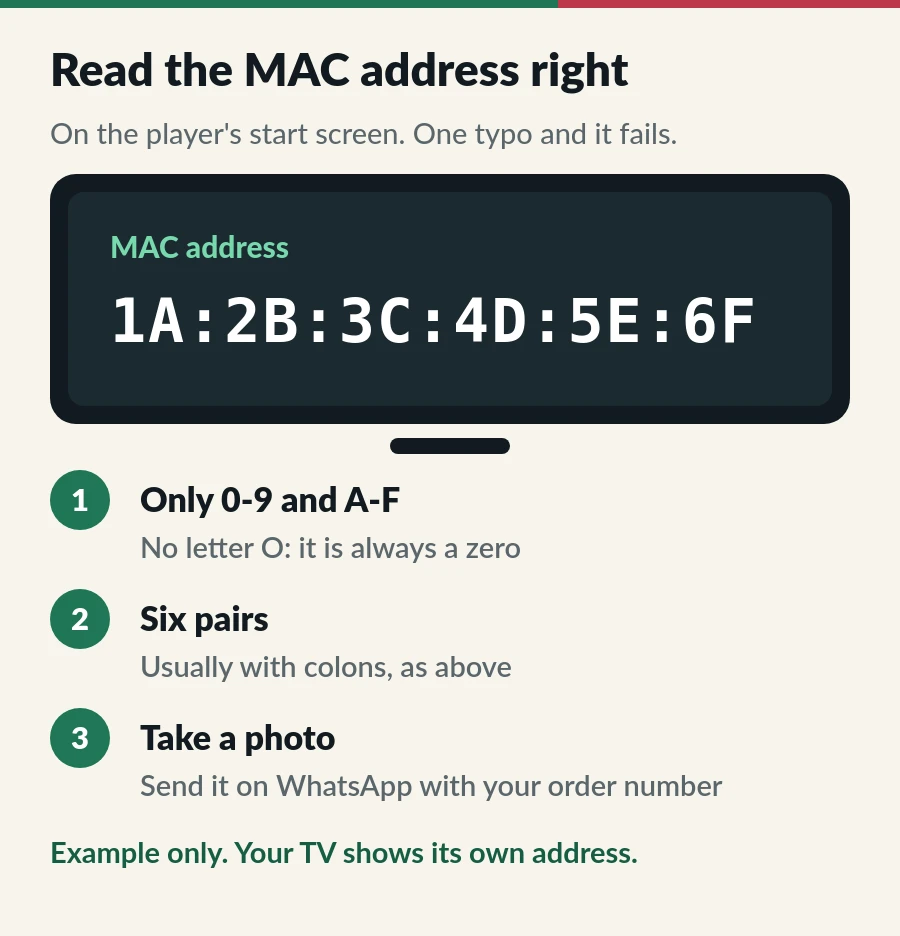
A MAC address is a code of six pairs of characters, such as 1A:2B:3C:4D:5E:6F. It only uses the numbers 0 to 9 and the letters A to F, so a round character is always the number zero, never the letter O. The easiest way to send it without a typo is a photo of the screen.
The address belongs to that one TV, which is why a Hot Player activation works on one device. Your plan includes one activation for each device on Standard and one for each account on Premium. An extra TV outside your plan can have its own Hot Player licence for S$25.
Hot Player is our suggestion because it is included with your plan and we activate it for you. Other players also run on many Samsung Smart TV models:
| App | How you sign in | Cost |
|---|---|---|
| Hot Player | MAC address, activated by us | Included with every IPTV.sg plan |
| IBO Player | M3U link or Xtream Codes | Trial, then a paid activation |
| IPTV Smarters Pro | Xtream Codes | Free, but not listed for every TV |
App lists change by model year and country, and apps come and go. Install players only from the Samsung Apps store, and never type your login into a website that offers to “unlock” a player. Our guide to the best IPTV player apps compares more options.
Menu names vary a little by model year; the paths above match recent models and make IPTV on Samsung Smart TV run more smoothly.
| Problem | Fix |
|---|---|
| Hot Player is not in the Apps store | Update the TV software and search again. Still missing? Ask us which player suits your model, or use a Fire TV Stick. |
| No MAC address on the start screen | The app has not connected yet. Check the network, then close and reopen the app. |
| Still asks for activation after you sent the MAC | Compare the address in your message with the screen, character by character, then restart the app. |
| The app freezes or closes | Clear its cache in Device Care, then restart the TV with a long press on the power button. |
| Buffering | Use a cable or 5 GHz, then follow our IPTV buffering fixes. |
| TV guide times are wrong | Check that the TV clock is set automatically and the time zone is Singapore, then refresh the guide in the app. More in our EPG guide. |
A streaming stick is often the simplest answer for a Samsung Smart TV that is old, slow, or missing the player you want. It plugs into an HDMI port, has its own remote and runs Android-based players such as Hot Player and TiviMate. Check that it runs Fire OS rather than Vega OS, as our IPTV on Firestick guide explains. An Android TV box works too: see IPTV on Android TV.
IPTV on Samsung Smart TV works with both of our plans. They differ in channels and in how screens are shared.
Not on every model. Search the Apps store; if it is missing, use Hot Player, which is included with your plan, or a Fire TV Stick.
Update the TV software, then search Apps for the exact name. Lists differ by model year and country. Send us the model code from About This TV and we suggest a player that works on it.
Channels live in the player app, not in the TV. Most players let you hide categories or build a Favourites list. Want fewer channels from the start? Ask for a custom channel list with only your countries.
The Apps store may ask you to sign in or accept the Smart Hub terms before you install apps. A Samsung account is free.
Yes. They run the same Tizen system and Apps store as other Samsung Smart TVs.
Yes, within your plan: Standard covers 1, 2 or 3 devices on one account, and Premium gives each viewer an account. See IPTV on multiple devices.
Page
From login to first channel on every device.
Page
The player included with every IPTV.sg plan.
Guide
Developer options, Downloader, your player and sign-in.
Guide
Find where it buffers, then nine fixes in order, easiest first.
Hot Player is included with every plan. Order, send us the MAC address and we activate it.