Page
IPTV UK
British TV on Singapore time.
Expat guide
Missing British TV after the move? Here is how to get UK TV in Singapore in four steps, which plan and device to choose, how to live with the time gap and how to set it up for the whole family.
Moving to Singapore does not mean giving up the TV you grew up with. With an IPTV plan, UK TV in Singapore arrives over your home internet, in an app on your smart TV, phone or laptop, without a satellite dish or a UK address. Our IPTV UK page sums up the UK side of our line-up.
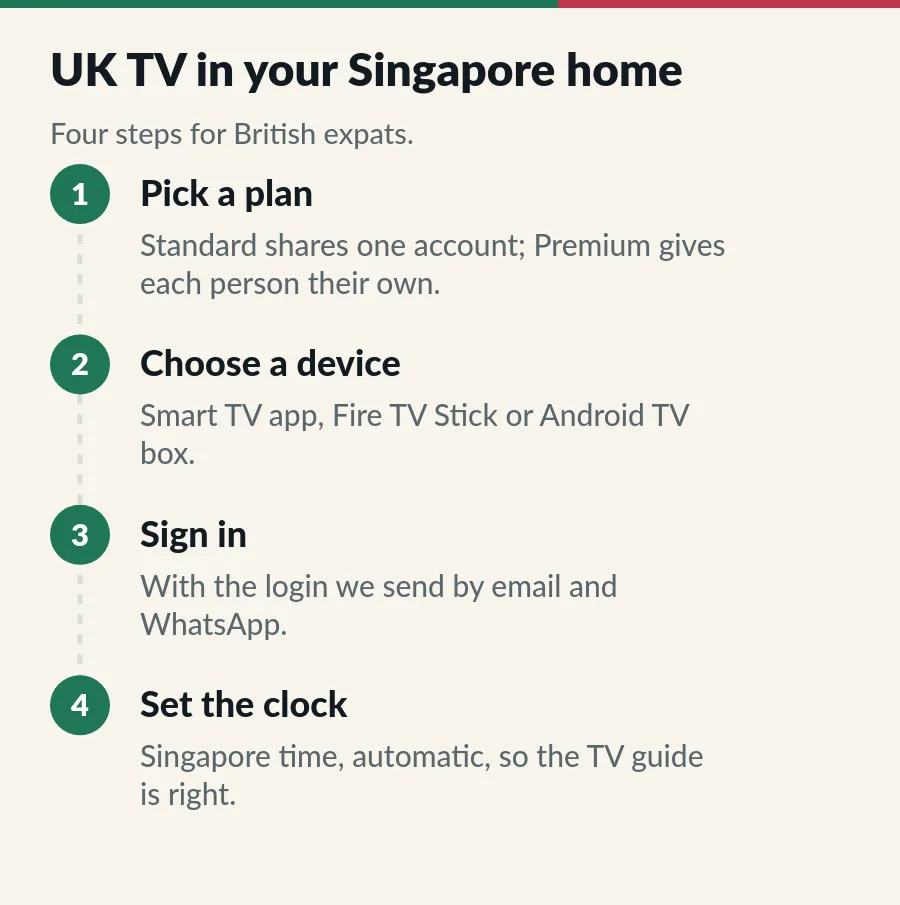
Both service levels carry UK channels. IPTV Standard (33,000+ channels) shares one account across 1 to 3 devices; IPTV Premium (56,000+) gives 1 to 3 separate accounts. Prices are in S$ and paid once, from S$15 a month. Unsure? Standard vs Premium explains the difference, and our UK channels in Singapore guide shows the UK categories.
Steps 3 and 4 are quick: sign in with the login we send by email and WhatsApp, then set the device clock to Singapore, automatic, so the TV guide shows local times.
In winter Singapore is 8 hours ahead of London: UK breakfast TV arrives in your afternoon, the lunchtime news in your evening, and a 3 pm Saturday kick-off at 11 pm. British prime time runs from about 4 am Singapore time, so the 130,000+ films and series on demand are the answer for evening shows. Our UK time to Singapore time guide has the full table.
If several people watch at the same time, count the screens: Standard covers up to 3 devices on one account; Premium gives each person their own account, with separate favourites and history. Children can watch on a tablet while the main TV shows something else, within your plan. The IPTV on multiple devices guide explains the options.
Ready for UK TV in Singapore? Start with the IPTV UK page, then pick a plan.
Yes. IPTV uses your home internet and an app; no dish or UK address is needed.
8 hours later in winter and 7 in summer.
Yes, within your plan: choose enough devices on Standard or accounts on Premium.
TV licensing rules depend on the country you live in; Singapore has its own rules, and the UK licence applies to viewing in the UK.
Page
British TV on Singapore time.
Guide
London time in Singapore time, winter and summer, with TV and match times.
Guide
Entertainment, sport, films and kids channels in our line-up.
Page
Devices on Standard, accounts on Premium.
Tell us what you watch and how many screens; we suggest the plan on WhatsApp.