Guide
IPTV on Android TV
Google Play first, the Downloader route when you need it.
Player guide
TiviMate IPTV player is the app Android TV fans pick for its cable-style TV guide. Here is where it runs, how to install it on Android TV or a Fire TV Stick, how to add your IPTV.sg login, and when TiviMate Premium is worth it.
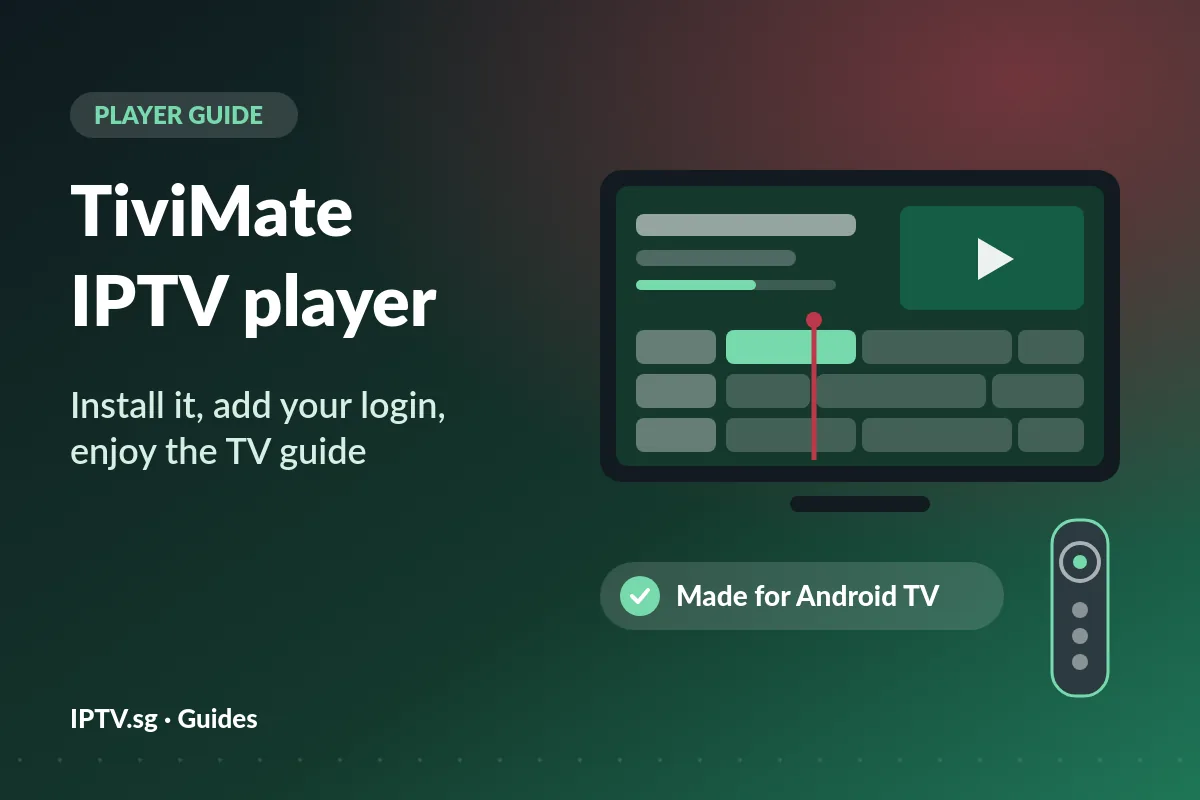
TiviMate is a player app: software that turns an IPTV login into a channel list, a TV guide and a picture on your screen. Its maker, Armobsoft FZE, lists it in Google Play as TiviMate IPTV Player, with more than five million downloads when we checked from Singapore on 13 November 2026. What sets TiviMate IPTV apart is its TV guide, which looks and feels like a cable box.
The app is a player only. Its own listing says it does not provide any content, and that buying the upgrade unlocks features, not channels. Everything you watch in TiviMate IPTV comes from your IPTV service; with IPTV.sg that is the login we send after you order.
TiviMate is made for Android TV and remote-control navigation, and its listing says it is not optimised for phones or tablets. Check which group your screen belongs to before you start.
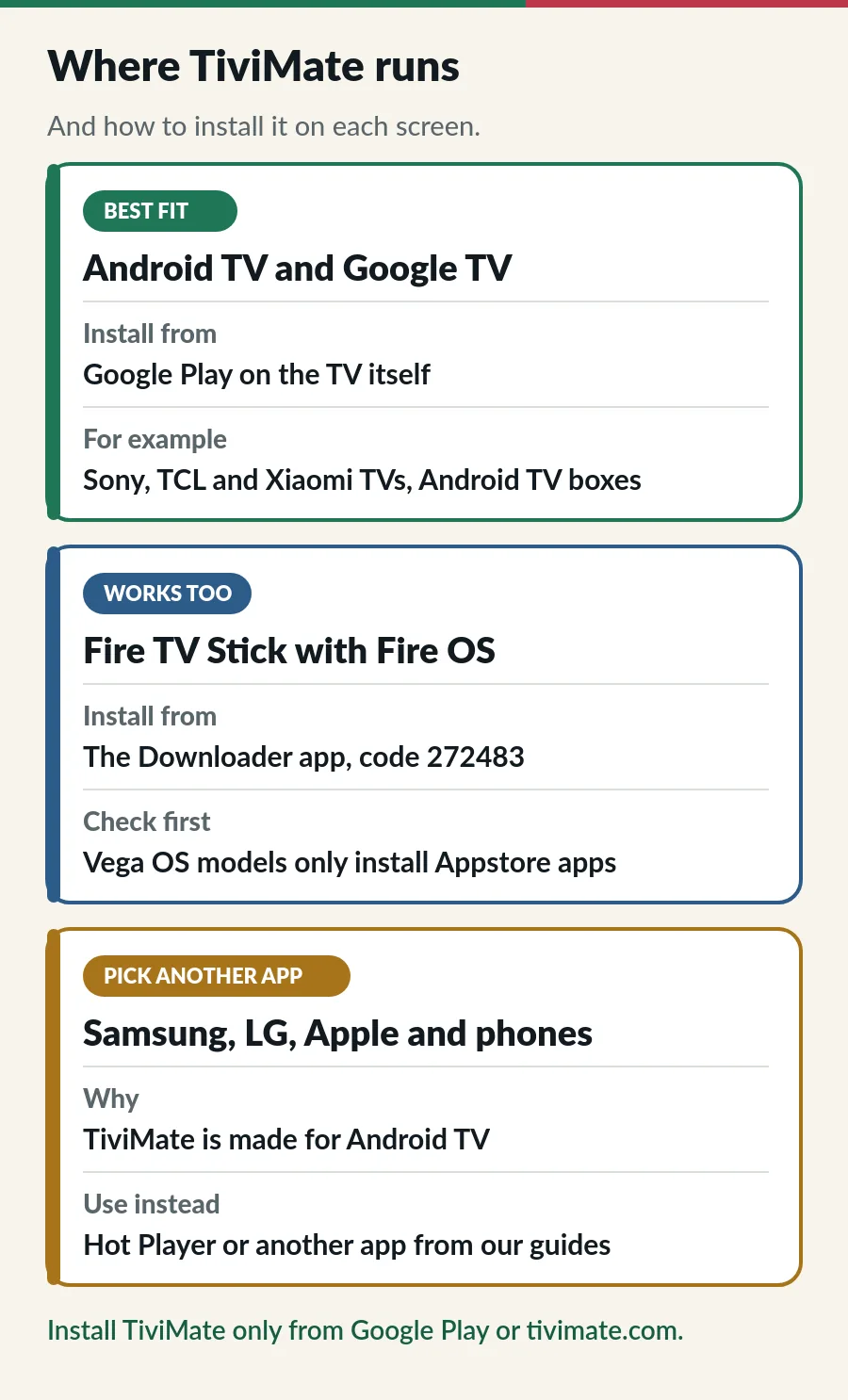
| Your screen | TiviMate? | What to do |
|---|---|---|
| Android TV or Google TV (many Sony, TCL and Xiaomi TVs, Android TV boxes) | Yes | Install it from Google Play on the TV. |
| Fire TV Stick with Fire OS | Yes | Install it with the Downloader app and code 272483. |
| Fire TV with Vega OS | No | Vega OS only installs Amazon Appstore apps; see IPTV on Firestick. |
| Samsung or LG smart TV | No | These TVs do not run Android apps. Use Hot Player: Samsung or LG guide. |
| iPhone, iPad or Apple TV | No | Use an App Store player; see IPTV on Apple TV. |
| Android phone or tablet | Not made for it | Use Hot Player or a Google Play player; see IPTV on Android phone. |
Open Google Play on the TV itself, search for TiviMate and check that the developer is Armobsoft FZE before you press Install. Apps with similar names come from other developers. Installed from Google Play, TiviMate IPTV updates by itself along with your other apps.
Our guide to IPTV on Android TV explains how to tell Android TV from Google TV, and what to do if Google Play is missing on a box.
Fire TV has no Google Play, so TiviMate comes from its maker’s own download page. TiviMate’s website gives a short code for the free Downloader app: 272483 (or the address tivimate.com/apk). Turn on Developer options and allow Downloader to install apps first; our IPTV on Firestick guide shows each menu. Then open Downloader, type the code, select Go and choose Install.
Use that code or Google Play only. Websites that offer “TiviMate Premium APK” or “unlocked” versions are a common way to put malware on a device, and they would also see the login you type in.
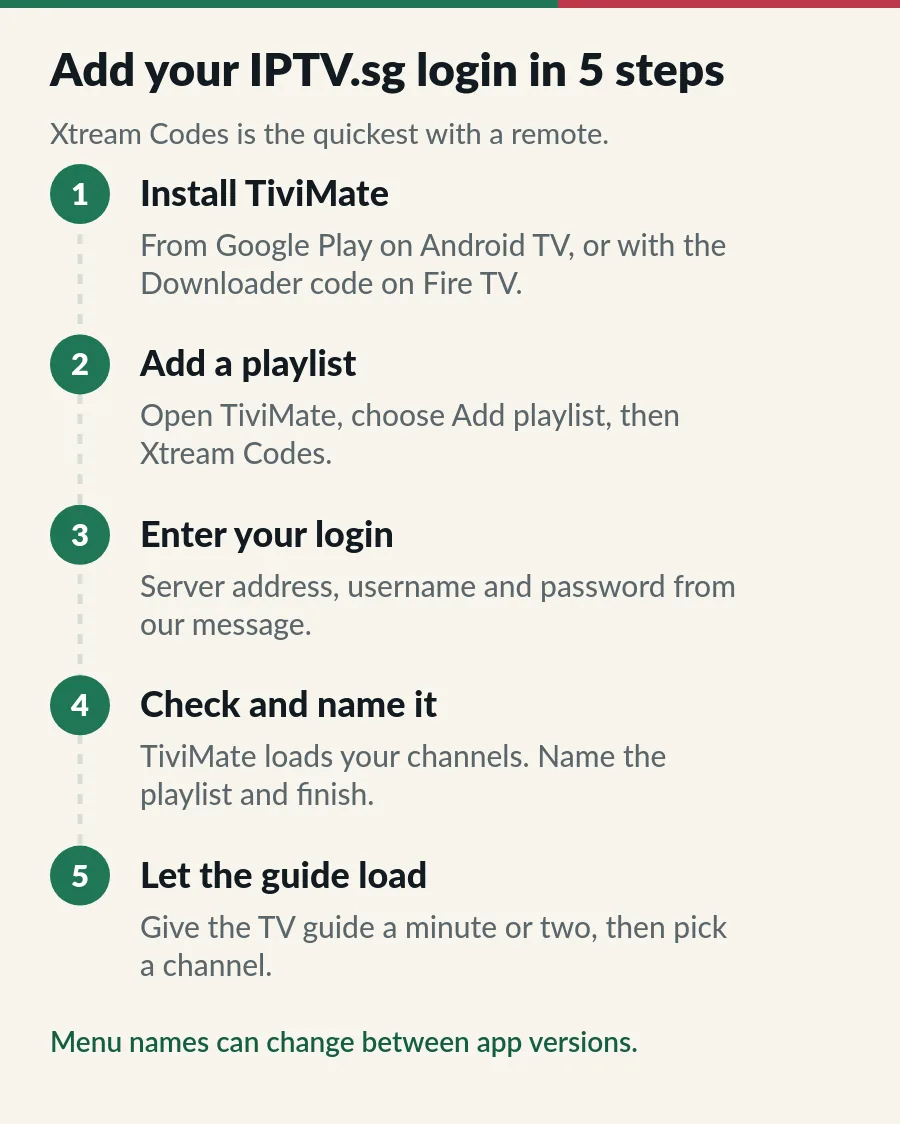
Menu names can change a little between versions, but the order stays the same. Typing on a TV is the slowest part: the Google TV app on your phone (for Android TV and Google TV) and the Amazon Fire TV app (for Fire TV) both have a keyboard, so you can type on the phone instead of the remote.
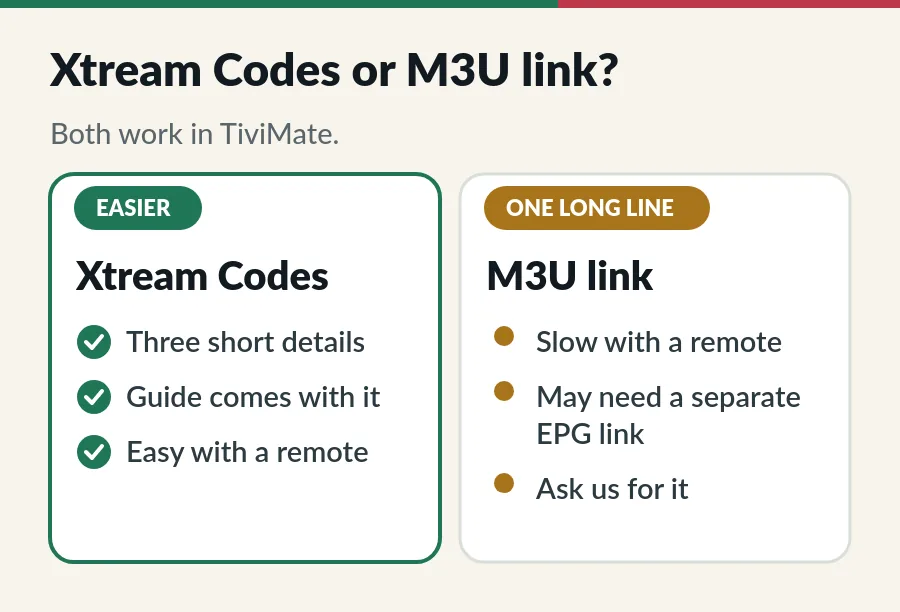
Prefer the M3U link? Choose Add playlist, then the option for a playlist link, and enter the link from our message. It works just as well, but the link is long to type and some apps need a separate EPG link for the guide; ask us and we send it. Our guides to Xtream Codes and M3U playlists explain both logins.
On IPTV Standard, the same login plays on 1 to 3 devices, so TiviMate on the TV and another app on a phone can both use it. On IPTV Premium, each account has its own login: add a different one on each TV.
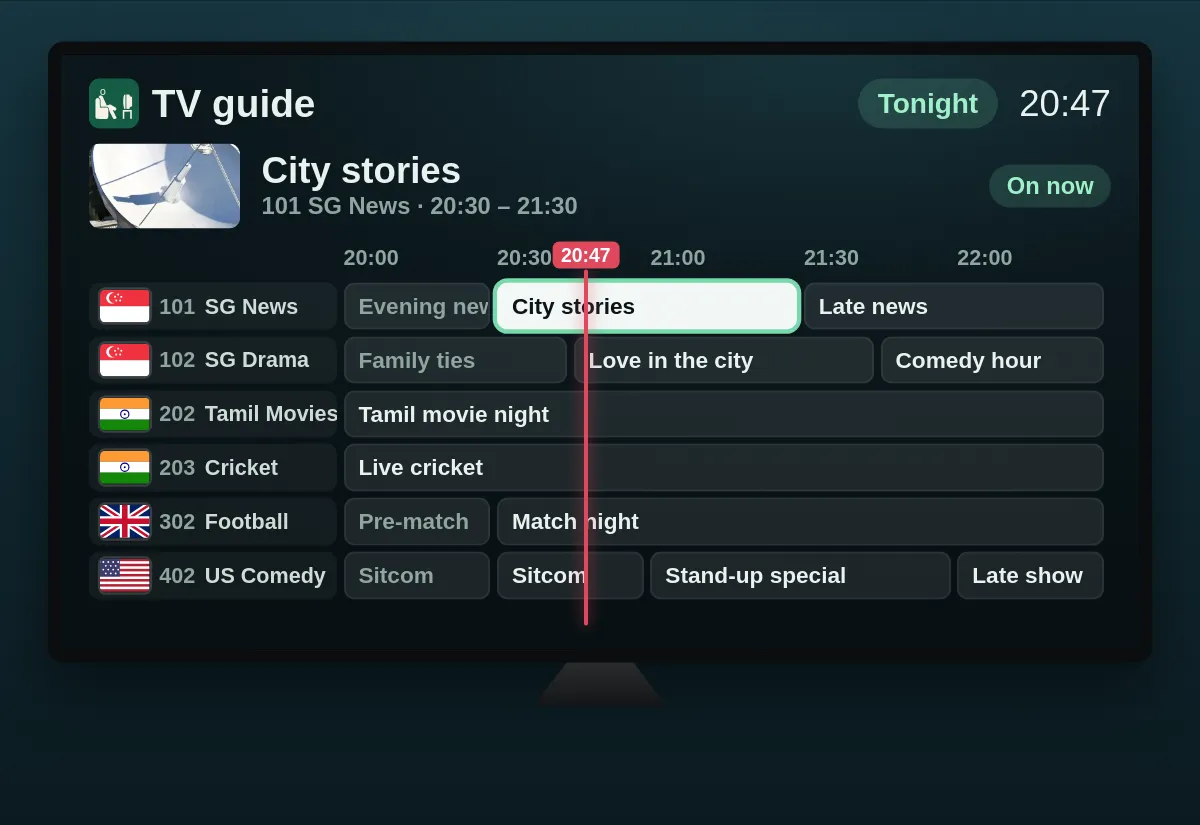
The guide is why many people choose TiviMate IPTV. Channels run down the left, programmes run across a timeline, and a red line marks the time now. Move with the arrow keys, press OK on a channel to watch it, and use the channel groups to jump between countries. Our EPG guide explains where the guide data comes from.
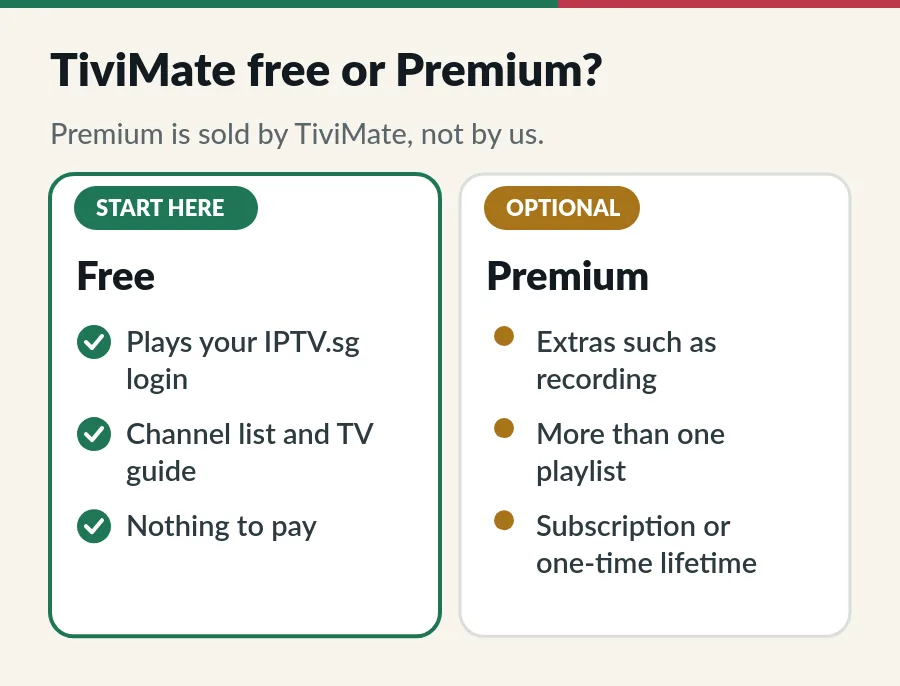
The free TiviMate IPTV app plays your login with the channel list and the TV guide. TiviMate Premium is a paid upgrade that adds extras such as recording and more than one playlist. According to TiviMate’s terms of use, it is sold as an auto-renewing subscription or as a one-time lifetime purchase, with prices shown at the point of purchase.
Our advice: add your login to the free app first and use it for a few evenings. If you then miss recording or a second playlist, the upgrade is worth a look.
Both are good players, and you can install both and switch between them with the same login. The difference is mostly price and screens. Our list of the best IPTV player apps compares six players in more detail.
| TiviMate | Hot Player | |
|---|---|---|
| Cost | Free; Premium is paid to TiviMate | Activation included in your plan |
| Screens | Android TV, Google TV, Fire TV with Fire OS | Smart TVs, TV sticks, Android TV and phones |
| Sign in | You type the Xtream Codes login or M3U link | We activate it with the MAC address from its start screen |
| Best for | A detailed, cable-style guide on Android TV | The quickest start on almost any screen |
Your plan includes one Hot Player activation for each device on Standard and one for each account on Premium. Our Hot Player IPTV page shows how activation works.
| What you see | What to try |
|---|---|
| Login or connection fails | Type the server address, username and password again from our message, with http:// and no space at the end. |
| Playlist is empty | Check that your plan is active; renew before the end date to keep your login (see IPTV renewal). |
| TV guide is empty | Refresh the guide in TiviMate’s settings and wait a few minutes. Signed in with an M3U link? Ask us for the EPG link. |
| Guide times are wrong | Set the TV’s date and time to automatic and the time zone to Singapore. |
| Picture stops and starts | Use a cable or 5 GHz Wi-Fi and close other streams; see the IPTV buffering fixes. |
| Stops when another screen starts | Check how many screens your plan covers (Standard vs Premium). |
| Cannot install on Fire TV | Check that it runs Fire OS, not Vega OS, and that Downloader may install apps (Firestick guide). |
| Premium features locked | Premium belongs to your TiviMate purchase, not to your IPTV plan. Check your activated devices in TiviMate Companion or write to TiviMate support. |
Still stuck? Work through the IPTV troubleshooting checks in order, or message us on WhatsApp with a photo of the screen. We cannot see inside TiviMate, but we can check your login and the server.
TiviMate IPTV is a great free player for Android TV; the channels and the login come from your IPTV.sg plan.
Yes. The free app plays your IPTV.sg login with the channel list and the TV guide. TiviMate Premium is an optional paid upgrade for extras such as recording and more than one playlist.
No. TiviMate is a player only, and its maker says so on its listing. The channels come from your IPTV service; with IPTV.sg, from the login we send after you order.
No. TiviMate Premium is sold by TiviMate. Your plan includes Hot Player activation instead; see the Hot Player IPTV page.
Yes, on Fire TV models with Fire OS: install it with the Downloader app and code 272483 from TiviMate’s website. Models with Vega OS only install Amazon Appstore apps; see IPTV on Firestick.
No. Samsung and LG smart TVs do not run Android apps. Use Hot Player there; see our Samsung and LG guides, or plug in a Fire TV Stick or Android TV box.
Its listing says it is designed for Android TV and not optimised for phones or tablets. On a phone, use Hot Player or a Google Play player; see IPTV on Android phone.
Xtream Codes. It is three short details instead of one long link, and the TV guide usually loads by itself. The M3U link works too, but may need a separate EPG link, which we send on request.
Yes. Install it on each TV and add your login. How many can play at once depends on your plan: Standard covers 1 to 3 devices on one login, Premium gives 1 to 3 separate logins. See IPTV on multiple devices.
Guide
Google Play first, the Downloader route when you need it.
Guide
Six player apps compared by device, sign-in, TV guide and price.
Guide
Developer options, Downloader, your player and sign-in.
Guide
The three login details, signing in step by step and error messages.
Pick a plan and we send the server address, username and password by email and WhatsApp.