Guide
IPTV Smarters Pro setup and login
Install the app, sign in with Xtream Codes and fix login errors.
Comparison
The best IPTV player is the one that runs smoothly on the screen you watch most. We compare six popular apps on what matters day to day: the devices they run on, how you sign in, the TV guide and the price.
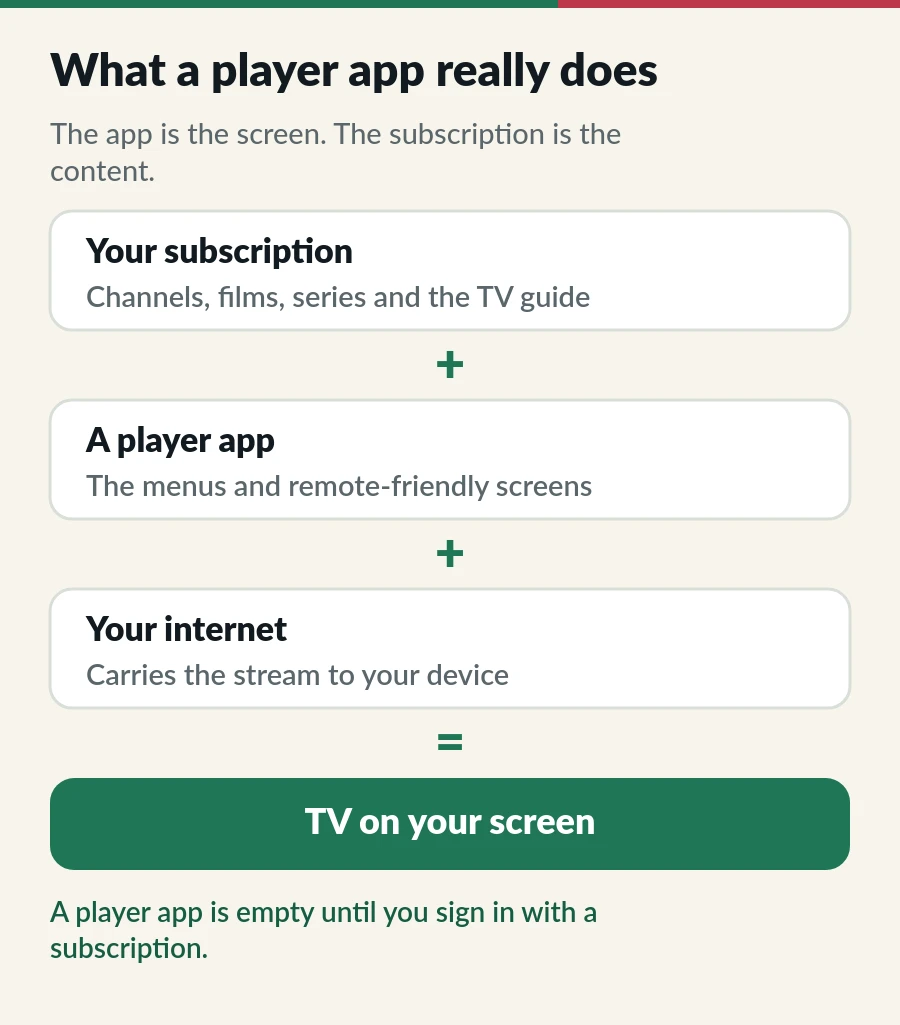
An IPTV player is the screen and the remote-friendly menus. Your subscription is the content. Swap the player and you still get the same channels, films and series; you only change how they look and how quickly you can find them.
So the best IPTV player is not the one with the longest feature list. It is the one that runs smoothly on the screen you watch most, with a TV guide you find easy to read.
New to the jargon? Our plain-English explainers cover Xtream Codes, M3U playlists and the EPG TV guide.
Hot Player is the player included with every IPTV.sg plan: one activation for each device on Standard and one for each account on Premium. It runs on popular Smart TVs and Android-based devices such as TV boxes and Fire TV Stick, and on phones and tablets. You send us the MAC address from its start screen and we activate it, so there is nothing to type.
Free and familiar, it signs in with Xtream Codes or an M3U link and shows a clean TV guide. Where you get it has changed: on iPhone and iPad it is in the App Store as Smarters Player Lite, but it is no longer listed on Google Play, and the old website that offered the Android, Fire TV and computer versions is offline. Our IPTV Smarters Pro setup guide explains where to get it and walks through the login.
TiviMate is built for the big screen, and its guide feels like a cable box. It runs on Android TV, Google TV and Fire TV. The free version covers the basics; a paid Premium upgrade adds extras such as recording and more than one playlist. Our TiviMate IPTV player guide shows the setup step by step.
IBO Player runs on many Smart TVs and Android devices and accepts M3U or Xtream Codes logins. After a trial, the developer charges an activation per device, so check the current price in the app before you commit.
The free VLC media player opens an M3U link on Windows, Mac, Linux, Android and iPhone. There is no full TV guide, so it is not a daily player, but it is perfect for checking a channel on a laptop in seconds.
Our guide to IPTV on VLC shows where the link goes on each device and how to stop buffering.
Kodi is a free media centre, and its PVR IPTV Simple Client add-on turns it into a full IPTV player with a guide. It is powerful and very flexible, but it takes the most steps to set up.
Our PVR IPTV Simple Client guide walks through the Kodi setup step by step, including how to load fewer channels on small boxes.
| App | Best for | Runs on | Sign-in | Price |
|---|---|---|---|---|
| Hot Player | Smart TVs | Smart TVs, Fire TV, Android, phones, tablets | MAC activation, done by us | Included with IPTV.sg plans |
| IPTV Smarters Pro | iPhone and iPad | iPhone and iPad, as Smarters Player Lite | Xtream Codes or M3U | Free |
| TiviMate | TV guide on Android TV | Android TV, Google TV, Fire TV | Xtream Codes or M3U | Free, paid Premium |
| IBO Player | Many Smart TVs | Smart TVs, Android | M3U or Xtream Codes | Trial, then paid |
| VLC | Quick tests | Computers, Android, iPhone | M3U link | Free |
| Kodi + Simple Client | Tinkerers | Android TV, computers | M3U link | Free |
Prices and app store listings change, so check the store on your own device before you decide.
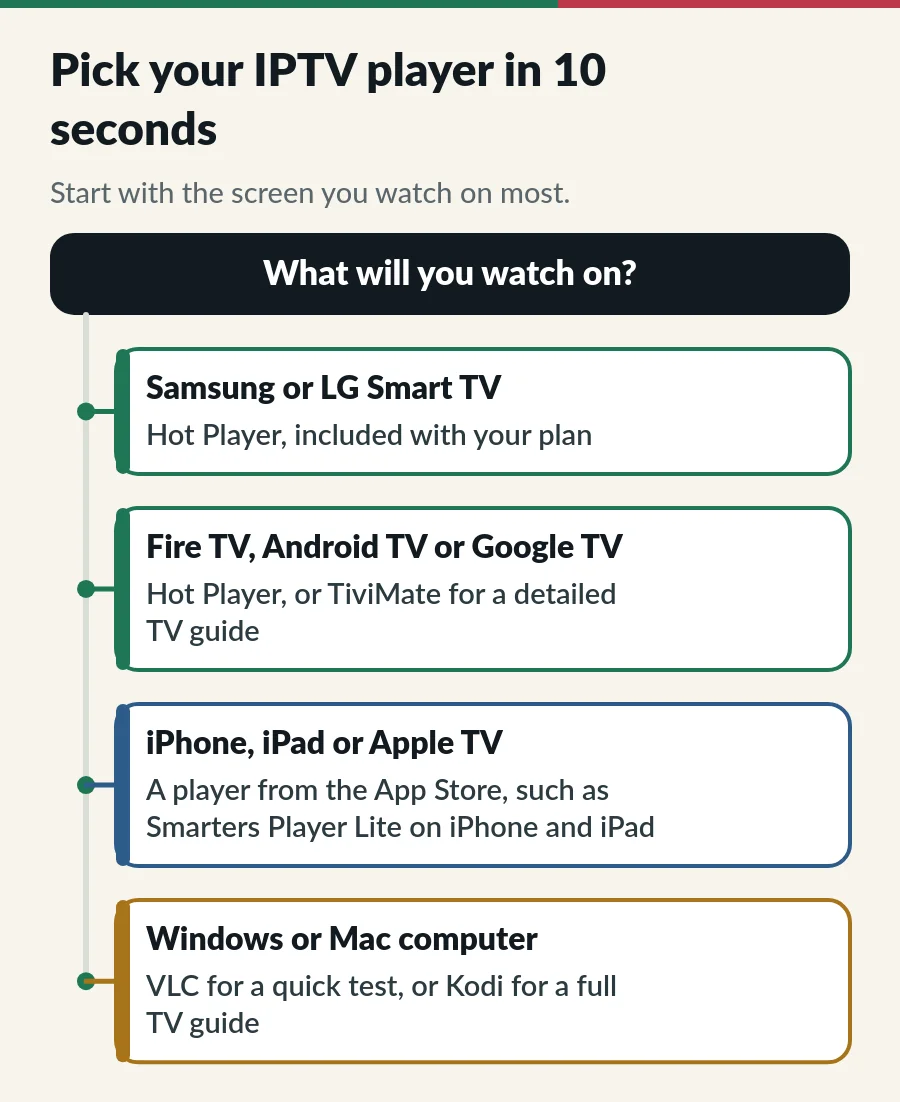
Samsung and LG. TV app stores differ by model year. If your TV is older and a player is missing, a Fire TV Stick in the HDMI port opens up every option. Read our IPTV on Firestick guide, or the step-by-step guides to IPTV on Samsung Smart TV and IPTV on LG Smart TV.
Fire TV and Android TV. You get the most choice here. Start with Hot Player, and try TiviMate if you watch a lot of live TV and love a detailed guide. Our guide to IPTV on Android TV covers Google Play and the Downloader route. On an Android phone, see IPTV on Android phone.
Apple devices and computers. On iPhone and iPad, install Smarters Player Lite from the App Store and sign in with Xtream Codes, or install Hot Player from the App Store and send us its MAC address: we activate it as part of your plan. It runs on Apple TV too, as our guide to IPTV on Apple TV shows. On a computer, VLC is the quickest check and Kodi gives you a full guide. The IPTV setup guide has the steps for each device.
Installing a player from an APK file? Our guide to the IPTV APK lists the safe sources for each app and four checks before you press Install.
Whichever turns out to be the best IPTV player for you, the plan behind it sets the channels and the number of screens.
For a TV guide on Android TV, many people prefer TiviMate. For simplicity on a Smart TV, Hot Player. Interfaces are personal, so try the free options first.
For a full TV guide, Kodi with the PVR IPTV Simple Client add-on works well. VLC is the quickest way to check a channel. The Windows version of IPTV Smarters Pro is no longer offered, as its old website is offline. Our IPTV for PC guide has the setup steps.
An app that plays the streams from your IPTV subscription. It has no channels of its own.
Yes, on different devices, as long as you stay within your plan. See IPTV on multiple devices.
Not always. Paid apps add features, but picture quality depends on the stream and your connection, not on the price of the app.
Guide
Install the app, sign in with Xtream Codes and fix login errors.
Guide
Developer options, Downloader, your player and sign-in.
Guide
Install a player from Apps, send us the MAC address and watch.
Page
The player included with every IPTV.sg plan.
Activated for you on each device or account. Or use any player you like.